
description Google Data Studio Overview
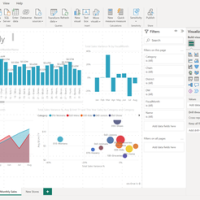
Google Data Studio is a free, web-based data visualization tool that connects to a wide range of data sources, including Google Sheets, Google Analytics, and various databases. Its intuitive drag-and-drop interface makes it easy to create interactive dashboards and reports, even for users with limited technical skills. It's particularly beneficial for marketing teams and small businesses already invested in the Google ecosystem, allowing them to easily visualize and share data. While customization options are somewhat limited compared to paid tools, its free price point and seamless integration make it an excellent starting point.
info Google Data Studio Specifications
| Api | Yes, with limited functionality |
| Platform | Web-based |
| Integrations | Google Analytics, BigQuery, Sheets, Firebase, and more |
| Languages Supported | English (primary), other languages via Google Translate |
balance Google Data Studio Pros & Cons
- Easy to use with a drag-and-drop interface
- Supports real-time collaboration
- Customizable reports and dashboards
- Integrates seamlessly with Google services
- Limited chart types compared to paid tools
- Mobile app is less feature-rich
- Lack of advanced customization options for complex visualizations
- No native support for external data sources other than Google services
help Google Data Studio FAQ
Can I use Google Data Studio with non-Google data?
While primarily designed for Google services, you can connect to some third-party data sources through custom connectors or APIs.
Is there a mobile app available?
Yes, the mobile app is available but has fewer features compared to the web version.
How does it compare to Tableau?
Google Data Studio offers basic functionality similar to Tableau but lacks some advanced features and flexibility found in paid tools like Tableau.
What is Google Data Studio?
How good is Google Data Studio?
How much does Google Data Studio cost?
What are the best alternatives to Google Data Studio?
What is Google Data Studio best for?
Ideal for marketers, analysts, and small teams who need basic data visualization and reporting capabilities without the cost of premium solutions.
How does Google Data Studio compare to Domo?
Is Google Data Studio worth it in 2026?
What are the key specifications of Google Data Studio?
- API: Yes, with limited functionality
- Platform: Web-based
- Integrations: Google Analytics, BigQuery, Sheets, Firebase, and more
- Languages Supported: English (primary), other languages via Google Translate
explore Explore More
Similar to Google Data Studio
See all arrow_forward

format_list_numbered Lists featuring Google Data Studio

Reviews & Comments
Write a Review
Be the first to review
Share your thoughts with the community and help others make better decisions.


