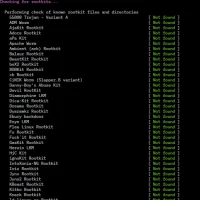
Volatility Framework - Forensic Analysis
zoom_in Click to enlarge

description Volatility Framework Overview

Volatility is the industry-standard framework for memory forensics. It is an essential tool for incident responders and malware analysts who need to extract evidence from RAM. Volatility allows investigators to view running processes, network connections, loaded DLLs, and other volatile artifacts that are often invisible to disk-based analysis. It is a command-line tool, which makes it highly scriptable and perfect for automated incident response pipelines.

While it requires a high level of technical expertise, it is the most powerful tool available for analyzing the state of a compromised system in real-time.

recommend Best for: Ideal for digital forensics investigators, incident responders, and malware analysts who need to extract and analyze volatile evidence from RAM across Windows, Linux, and macOS environments.

info Volatility Framework Specifications

balance Volatility Framework Pros & Cons

thumb_up Pros
  • check Industrystandard memory forensics tool with extensive community support and documentation.
  • check Supports multiple operating systems (Windows, Linux, macOS, BSD) and architectures (x86, x64, ARM, ARM64).
  • check Modular plugin architecture enabling extensible and custom analysis capabilities.
  • check Rich set of builtin plugins covering processes, network, registry, DLLs, passwords, and more.
  • check Crossplatform Python implementation that is easy to script and integrate with other forensic tools.
thumb_down Cons
  • close Steep learning curve for beginners due to complex plugin options and commandline interface.
  • close Performance can be slow on large memory dumps, especially when running multiple plugins sequentially.
  • close Limited support for encrypted or protected memory images (e.g., BitLocker, secure boot).
  • close Documentation is extensive but fragmented across versions, making troubleshooting challenging.
  • close Some plugins are OSspecific and may not work across all platforms.

help Volatility Framework FAQ

How do I install Volatility on Windows?

Install Volatility on Windows by first installing Python 3.6+ and pip. Then run `pip install volatility3` in a command prompt, or download the binary zip, extract it, and add the folder to your PATH for easy access.

What is the difference between Volatility 2 and Volatility 3?

Volatility 2 is the legacy Python2 engine with a mature plugin set, while Volatility 3 is a modern Python3 rewrite that offers better performance, accurate symbol tables, and a cleaner plugin framework, though some V2 plugins are still being ported.

Can Volatility extract passwords from memory?

Yes, Volatility includes plugins such as `lsassdump`, `hashdump`, and `mimikatz` that can recover cached passwords, NTLM hashes, and even plaintext credentials from Windows memory, provided the memory was not fully encrypted or the system was not locked.

What memory image formats does Volatility support?

Volatility can analyze raw dumps, Windows crash dumps (`.dmp`), hibernation files (`hiberfil.sys`), VMware `.vmem`, LiME, FireEye, and other vendorspecific formats, as well as images from MoonSols, AVML, and hypervisor snapshots like VirtualBox.

Is there commercial support or a paid version of Volatility?

The core Volatility Framework is free and open source; the Volatility Foundation offers paid training, consulting, and optional support contracts for organizations needing dedicated help, custom plugin development, and rapid response assistance.

What is Volatility Framework?
Volatility is the industry-standard framework for memory forensics. It is an essential tool for incident responders and malware analysts who need to extract evidence from RAM. Volatility allows investigators to view running processes, network connections, loaded DLLs, and other volatile artifacts that are often invisible to disk-based analysis. It is a command-line tool, which makes it highly scriptable and perfect for automated incident response pipelines. While it requires a high level of technical expertise, it is the most powerful tool available for analyzing the state of a compromised system in real-time.
How good is Volatility Framework?
Volatility Framework scores 8.8/10 (Very Good) on Lunoo, making it a well-rated option in the Forensic Analysis category. The Volatility Framework earns an 8.8/10 because it offers the most comprehensive, communitydriven memory forensics feature set available for free, wi...
How much does Volatility Framework cost?
Free Plan. Visit the official website for the most up-to-date pricing.
What are the best alternatives to Volatility Framework?
See our alternatives page for Volatility Framework for a ranked list with scores. Top alternatives include: PhotoRec, Magnet AXIOM, Cellebrite Physical Analyzer.
What is Volatility Framework best for?

Ideal for digital forensics investigators, incident responders, and malware analysts who need to extract and analyze volatile evidence from RAM across Windows, Linux, and macOS environments.

How does Volatility Framework compare to PhotoRec?
See our detailed comparison of Volatility Framework vs PhotoRec with scores, features, and an AI-powered verdict.
Is Volatility Framework worth it in 2026?
With a score of 8.8/10, Volatility Framework is highly rated in Forensic Analysis. See all Forensic Analysis ranked.
What are the key specifications of Volatility Framework?
  • License: GPLv2 (open source)
  • Language: Python 3
  • Developer: Volatility Foundation
  • Framework Name: Volatility Framework
  • Output Formats: JSON, CSV, plain text, timeline via plugins
  • Plugin Architecture: Yes, extensible via community and custom plugins

Reviews & Comments

Write a Review

lock

Please sign in to share your review

rate_review

Be the first to review

Share your thoughts with the community and help others make better decisions.

Save to your list

Create your first list and start tracking the tools that matter to you.

Track favorites
Get updates
Compare scores

Already have an account? Sign in

Compare Items

See how they stack up against each other

Comparing
VS
Select 1 more item to compare