description Chromebook for Digital Signage Overview
These specialized, often locked-down, Chromebooks are designed solely to run a single application loopperfect for museum displays, restaurant menus, or informational kiosks. They prioritize low power draw and robust, non-user-facing operation. They are not for general computing but are the most efficient solution for dedicated public information displays.
help Chromebook for Digital Signage FAQ
How do I set up a Chromebook like the Acer Spin 314 to run in single-app kiosk mode for a menu board or museum display?
You enroll the device in device management through the Google Admin console, publish a signage app such as Rise Vision, and configure it to auto-launch at boot. Once kiosk mode is set, the Chromebook boots straight into that one app with no login screen or desktop. The Spin 314's 14-inch touchscreen also works for interactive kiosks, not just passive looping displays.
Can a Chromebook realistically stay powered on 24/7 as a digital signage player?
Yes, kiosk-mode Chromebooks are built for always-on operation and idle at very low power draw compared with a full PC or media player. Administrators typically schedule an automatic nightly reboot through the management console to keep the signage app from accumulating memory leaks. Just use the power settings to keep the display awake during business hours.
Can I update the signage content remotely, or do I have to touch each device?
With a Chrome Enterprise license per device, the Google Admin console lets you push app updates and reboot machines remotely, and platforms like Rise Vision handle playlist changes over the web. Without that license, you would need physical access to the device to change anything. This is why operators running many screens almost always enroll them.
Will one of these signage Chromebooks handle looping video, and does it need constant internet?
1080p looping video is no problem on typical Spin 314-class hardware, though 4K playback depends on the exact processor tier. Many signage apps, including Rise Vision, cache content locally so brief internet outages don't blank the screen. For reliability, a wired network connection is usually preferred over Wi-Fi.
explore Explore More
Similar to Chromebook for Digital Signage
compare_arrows Compare: Chromebook with Intel Celero... See all arrow_forward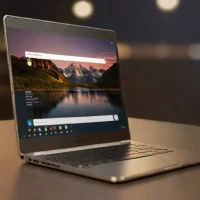


Reviews & Comments
Write a Review
Be the first to review
Share your thoughts with the community and help others make better decisions.


