
description Ableton Live 12 Overview
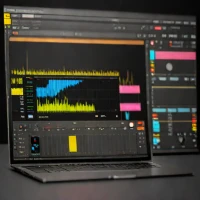
Built for both studio production and performance, Ableton Live 12 offers two complementary ways to develop music. Session View lets producers launch clips and try combinations without following a fixed timeline. Arrangement View turns those ideas into a linear song, with recording and editing tools for shaping a finished track. This combination is particularly useful for electronic music, where loops and evolving patterns often form the starting point.
Audio warping helps recorded material fit a project's timing, while instruments and effects support sound design within the same workspace. Live 12 also adds tools for generating and transforming MIDI ideas, giving musicians more ways to explore variations. Its appeal spans beginners and experienced producers, although the clip-based approach takes some learning. The defining advantage is the close connection between experimentation, arrangement and playing music live.
help Ableton Live 12 FAQ
What new MIDI tools are introduced in Ableton Live 12?
Live 12 introduces generative MIDI tools that can spontaneously create melodies, chords, and drum patterns within a chosen scale. It also features the new Stacks device to easily layer multiple instruments into a single track.
What sound library additions were made to Ableton Live 12?
The latest version includes the Meld synthesizer, which uses dual-oscillator engines to create intricate textures and granular sounds. It also integrates MIDI Polyphonic Expression (MPE) compatibility for expressive hardware like the Push 3.
How does Session View work in Ableton Live 12?
Session View provides a non-linear interface where you can trigger audio clips and MIDI loops independently. It is heavily utilized by electronic music producers for live performances, allowing DJs and musicians to remix tracks on the fly.
explore Explore More


Reviews & Comments
Write a Review
Be the first to review
Share your thoughts with the community and help others make better decisions.


