
description Apple Macintosh SE Overview
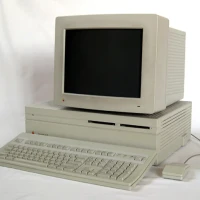
Apple's Macintosh SE belongs to the compact Macintosh family, combining the computer and a small monochrome screen in one upright enclosure. Its graphical interface used windows, icons and a mouse, continuing the approach established by earlier Macs. An internal expansion slot distinguished it from those earlier compact models, giving owners a route to add capabilities within the familiar all-in-one design. Configurations offered different storage arrangements, including versions with an internal hard drive.
The machine served everyday office work and early creative applications, including desktop publishing with suitable software and peripherals. Its compact construction made it a practical work computer rather than merely a demonstration of graphical computing. Today it suits collectors and people exploring early Mac software. Its place in Apple history rests on refining that established format, rather than single-handedly making graphical interfaces mainstream.
help Apple Macintosh SE FAQ
What did the Macintosh SE add over the Macintosh Plus?
Apple introduced the Macintosh SE on March 2, 1987, alongside the Macintosh II. Compared with the Macintosh Plus, it added an internal expansion slot, an internal drive bay, Apple Desktop Bus support, and a cooling fan.
Why do collectors distinguish the Macintosh SE from the SE/30?
The Macintosh SE uses a Motorola 68000 processor running at about 7.8 MHz. The Macintosh SE/30 arrived in 1989 with a 68030 processor, making it a much faster compact Mac in the same general case style.
Can the Macintosh SE run classic Mac System software?
The Macintosh SE is commonly used with System 6 and early System 7 releases. Its RAM ceiling is 4 MB, so later classic Mac software can feel cramped compared with a Macintosh II or SE/30.
explore Explore More
Similar to Apple Macintosh SE
compare_arrows Compare: Apple Macintosh (Original) See all arrow_forward


Reviews & Comments
Write a Review
Be the first to review
Share your thoughts with the community and help others make better decisions.


