
description Buffalo LinkStation 520 Overview
The Buffalo LinkStation 520 is a two-bay network-attached storage device for storing and sharing files over a home or small-office network. It supports two internal drives and can be configured for RAID 0 or RAID 1, depending on whether the user prioritizes combined capacity or duplicated data. The device is intended for shared folders, local backups, and centralized access from network-connected computers and other devices.
help Buffalo LinkStation 520 FAQ
How many drives fit in the Buffalo LinkStation 520?
The LinkStation 520 is a two-bay network-attached storage device, so it accepts two internal drives. That allows either a larger combined volume or mirrored storage, depending on the selected RAID mode.
What is the difference between RAID 0 and RAID 1 on the LinkStation 520?
RAID 0 combines both drives for more usable capacity and potentially higher throughput, but one failed drive can destroy the array. RAID 1 mirrors the data, so usable capacity is roughly that of one drive while one-drive failure protection improves.
Can the Buffalo LinkStation 520 share files over Wi-Fi?
It shares files through the home or small-office network, but it connects to that network through the available network interface rather than creating Wi-Fi itself. A Wi-Fi router or access point is needed for wireless clients.
Is the LinkStation 520 suitable for a small office?
Yes, its two-drive design is aimed at home and small-office file storage. RAID 1 is the safer choice for shared work files, but it is not a substitute for a separate backup.
explore Explore More
Similar to Buffalo LinkStation 520
compare_arrows Compare: Asustor Drivestor 2 (AS1102T... See all arrow_forward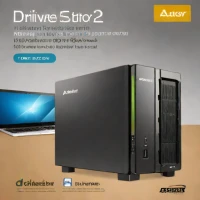

Reviews & Comments
Write a Review
Be the first to review
Share your thoughts with the community and help others make better decisions.


