
description Keychron Q13 Pro Overview
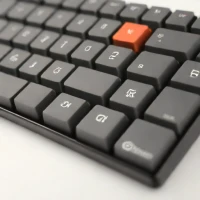
The Q13 Pro builds upon the success of the Q13 by offering enhanced features, often including better materials or connectivity options. It remains a top choice for mechanical keyboard lovers who value premium build quality, gasket mounting, and the flexibility of hot-swappable switches. While not inherently ergonomic in layout, its high build quality makes it a fantastic centerpiece for a personalized, comfortable workstation setup.
help Keychron Q13 Pro FAQ
Can I replace switches on the Keychron Q13 Pro without soldering?
Yes. Keychron says the Q13 Pro is hot-swappable and accepts most 3-pin and 5-pin MX-style switches, including Cherry, Gateron, and Kailh, as shown on the [official product page](https://www.keychron.com/products/keychron-q13-pro-alice-layout-qmk-via-wireless-custom-mechanical-keyboard?variant=40584298266713).
What is the Q13 Pro’s layout and customization system?
It uses a 96% Alice layout and supports QMK plus Keychron Launcher for remapping keys, macros, and shortcuts. The split, curved Alice arrangement changes the key positions compared with a standard rectangular keyboard.
Can the Keychron Q13 Pro connect wirelessly to Mac, Windows, and Linux?
Yes, it lists Bluetooth 5.1 and USB-C wired connectivity, with compatibility for macOS, Windows, and Linux. Wired mode is also the mode Keychron recommends for using its web-based Launcher.
How long does the Keychron Q13 Pro battery last?
Keychron lists a 4,000 mAh battery with up to 300 hours over Bluetooth with the backlight off, or up to 100 hours with RGB at its lowest brightness. Those are maximum-style figures, so lighting and usage will change actual runtime, according to [Keychron’s specifications](https://www.keychron.com/products/keychron-q13-pro-alice-layout-qmk-via-wireless-custom-mechanical-keyboard?variant=40584298266713).
explore Explore More


Reviews & Comments
Write a Review
Be the first to review
Share your thoughts with the community and help others make better decisions.


