
description Acer Predator X32 FP Overview
The Acer Predator X32 FP is a 32-inch gaming monitor utilizing mini LED technology with 576 zones for precise backlight control. It features a native 4K resolution at 180Hz refresh rate and supports HDR1000, delivering high brightness and vibrant colors suitable for fast-paced games like FPS titles. This monitor is designed for serious PC gamers seeking an immersive experience and detailed visuals.
help Acer Predator X32 FP FAQ
What is the refresh rate and resolution of the Acer Predator X32 FP?
The Acer Predator X32 FP features a massive 32-inch screen with a native 4K resolution (3840 x 2160) and a high 180Hz refresh rate. This combination makes it incredibly suitable for fast-paced gaming at ultra-high definition. It requires a powerful graphics card to fully utilize its 4K 180Hz capabilities.
What kind of backlight technology does the Predator X32 FP use?
It utilizes advanced mini LED technology with 576 local dimming zones for precise backlight control. This allows the monitor to achieve DisplayHDR 1000 certification, delivering high peak brightness and vibrant, deep colors. The mini LEDs significantly reduce the blooming effect seen in standard IPS monitors.
Does the Acer Predator X32 FP support KVM switching?
Yes, the monitor includes a built-in KVM (Keyboard, Video, Mouse) switch, allowing users to control two separate computers with a single set of peripherals. It also features Acer's SpatialLabs technology, which enables glasses-free 3D viewing. The connectivity options are designed for complex multi-system setups.
Is the Predator X32 FP good for professional color grading?
With its wide color gamut and high peak brightness from the mini LED array, it offers excellent color reproduction suitable for creative work. The 576 dimming zones provide the deep blacks necessary for HDR video editing. However, it is primarily marketed as a high-end gaming monitor rather than a professional reference display.
explore Explore More
Similar to Acer Predator X32 FP
compare_arrows Compare: Cooler Master Tempest GP27Q See all arrow_forward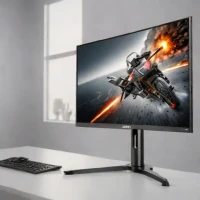


Reviews & Comments
Write a Review
Be the first to review
Share your thoughts with the community and help others make better decisions.


