
description Belkin Connect Thunderbolt 4 Dock Overview
Belkin offers a more streamlined and user-friendly approach to Thunderbolt 4 docking. It focuses on the most essential ports needed for a modern workspace, including high-speed USB-A and USB-C ports, HDMI/DisplayPort outputs, and Ethernet. It is an excellent choice for users who want a reliable brand name with a simpler setup process.
help Belkin Connect Thunderbolt 4 Dock FAQ
How many displays can the Belkin Connect Thunderbolt 4 Dock support simultaneously?
The Belkin Connect Thunderbolt 4 Dock can support up to two 4K displays running at 60Hz via its dual DisplayPort and HDMI ports. Alternatively, it can drive a single 8K display if your host computer supports it.
What is the power delivery passthrough of the Belkin Connect Thunderbolt 4 Dock?
The dock provides up to 90W of power delivery to charge your host laptop while simultaneously powering connected peripherals. This ensures that your MacBook or Windows laptop stays fully charged without needing a separate power adapter.
Does the Belkin Connect Thunderbolt 4 Dock use an Intel host controller?
Yes, this dock utilizes the Intel JHL8440 Thunderbolt 4 controller to ensure stable and high-bandwidth data transfers. This allows the dock to provide full 40Gbps data transfer rates over its downstream Thunderbolt 4 ports.
What is the length of the Thunderbolt cable included with the Belkin Connect dock?
Belkin includes an active Thunderbolt 4 cable that is approximately 0.8 meters (about 2.6 feet) long in the box. This active cable ensures full 40Gbps data speeds and maintains the power delivery limits specified by Intel.
explore Explore More
Similar to Belkin Connect Thunderbolt 4 Dock
compare_arrows Compare: Anker 778 Thunderbolt 4 Dock... See all arrow_forward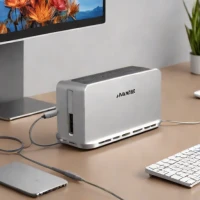


Reviews & Comments
Write a Review
Be the first to review
Share your thoughts with the community and help others make better decisions.


