
description Belkin USB-C Hub Overview
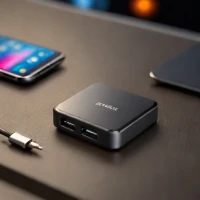
Belkin's entry-level USB-C hubs are perfect for users who primarily need to connect a single monitor and a few peripherals on the go. They offer the trusted Belkin brand reliability in a highly portable format. If you are new to docking or only need occasional expansion, this provides a safe, reliable starting point without overspending on enterprise-grade features.
help Belkin USB-C Hub FAQ
Can a Belkin USB-C Hub run one external monitor?
The entry-level Belkin USB-C Hub described here is intended for one monitor plus a few peripherals. The laptop's USB-C port must support DisplayPort Alt Mode, and the supported HDMI resolution depends on the exact hub model.
Can the Belkin USB-C Hub charge my laptop?
Only models with USB-C Power Delivery passthrough can send charger power back to the laptop. Check the model's listed PD wattage because a standard USB data port does not charge a notebook by itself.
Will a Belkin USB-C Hub work with a MacBook, Windows laptop, or iPad?
It can work with USB-C devices that support the required display and USB modes, including many MacBook, Windows, and iPad models. macOS and iPadOS can impose different limits on external displays, so the device model matters more than the Belkin brand alone.
Is a Belkin USB-C Hub the same as a Thunderbolt dock?
No. A USB-C hub is a small expansion accessory for one monitor and basic peripherals, while a Thunderbolt dock offers higher bandwidth and often supports more displays, storage, networking, and charging.
explore Explore More



Reviews & Comments
Write a Review
Be the first to review
Share your thoughts with the community and help others make better decisions.


