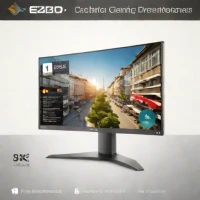
description BenQ SW321C Overview
The BenQ SW321C is widely considered the best value-to-performance monitor for professional photographers. It features BenQ's proprietary Paper Color Sync technology, which simulates the look of a print on your screen, bridging the gap between digital editing and physical output. With 99% Adobe RGB coverage and excellent factory calibration, it is ready for professional work right out of the box. Its large 32-inch screen provides ample space for multi-tasking, and the included 'Hotkey Puck' allows for quick switching between color modes, making it a favorite among working pros.
info BenQ SW321C Specifications
| Lut | 16-bit 3D LUT |
| Panel Type | IPS (In-Plane Switching) |
| Resolution | 3840 x 2160 (4K UHD) |
| Calibration | Hardware calibration with built-in sensor |
| Color Depth | 10-bit (1.07 billion colors) |
| Hdr Support | HDR10 |
| Screen Size | 32 inches |
| Connectivity | USB-C (60W PD), HDMI 2.0, DisplayPort 1.4, USB 3.0 hub |
| Dci-P3 Coverage | 95% |
| Weight With Stand | 13.2 kg |
| Adobe Rgb Coverage | 99% |
| Dimensions With Stand | 726.6 x 508.2 x 222.6 mm |
balance BenQ SW321C Pros & Cons
- 99% Adobe RGB and 95% DCI-P3 coverage ensures exceptional color accuracy for professional photo editing
- Paper Color Sync technology simulates print output on screen, bridging digital editing and physical printing
- Hardware calibration with 16-bit 3D LUT and built-in calibration sensor maintains consistent color over time
- USB-C connectivity with 60W power delivery allows single-cable connection to laptops
- 4K UHD resolution on 32-inch panel provides sharp detail for evaluating high-resolution photographs
- Includes Hotkey Puck G2 for quick color mode switching between Adobe RGB, sRGB, and DCI-P3
- Premium price point significantly higher than consumer-grade alternatives with similar specifications
- No built-in ambient light sensor for automatic brightness adjustment based on room conditions
- No G-Sync or FreeSync support limits usefulness for video editing or gaming applications
- Stand lacks full ergonomic adjustment with no pivot option and limited height range
- No built-in SD card reader or integrated USB hub requiring additional accessories
help BenQ SW321C FAQ
Does the BenQ SW321C support hardware calibration, and what software is recommended?
Yes, the SW321C supports hardware calibration through BenQ Palette Master Element software. The built-in calibration sensor allows for precise 16-bit 3D LUT adjustments without requiring an external calibrator, ensuring long-term color consistency.
How does Paper Color Sync technology work on the SW321C?
Paper Color Sync uses color conversion profiles for specific printer and paper combinations to simulate how your edited photos will appear when printed. It adjusts the screen display to match the physical output, eliminating guesswork in the editing-to-print workflow.
What is the difference between the BenQ SW321C and SW271C monitors?
The SW321C features a larger 32-inch 4K panel versus the SW271C's 27-inch 4K display. The SW321C includes Paper Color Sync, an improved Hotkey Puck G2, and slightly higher DCI-P3 coverage at 95% compared to the SW271C's 93%.
Can the BenQ SW321C be mounted on a VESA arm or wall mount?
The SW321C is VESA 100x100mm compatible and can be mounted to third-party arms or wall mounts. Note that the monitor weighs approximately 13.2 kg without the stand, so ensure your mount supports this weight capacity.
What is BenQ SW321C?
How good is BenQ SW321C?
How much does BenQ SW321C cost?
What are the best alternatives to BenQ SW321C?
What is BenQ SW321C best for?
Professional photographers and serious enthusiasts who require precise color accuracy for both screen editing and print output workflows.
How does BenQ SW321C compare to BenQ SW272U?
Is BenQ SW321C worth it in 2026?
What are the key specifications of BenQ SW321C?
- LUT: 16-bit 3D LUT
- Panel Type: IPS (In-Plane Switching)
- Resolution: 3840 x 2160 (4K UHD)
- Calibration: Hardware calibration with built-in sensor
- Color Depth: 10-bit (1.07 billion colors)
- HDR Support: HDR10
explore Explore More
Similar to BenQ SW321C
See all arrow_forwardReviews & Comments
Write a Review
Be the first to review
Share your thoughts with the community and help others make better decisions.