
description Dell WD19 Dock Overview
The WD19 represents an older, but still highly reliable, docking standard for Dell machines. While newer models exist, this dock remains a workhorse for organizations with established, older hardware fleets. It prioritizes sheer connectivity and stability over the absolute latest Thunderbolt speeds, making it a cost-effective choice for maintaining legacy setups.
help Dell WD19 Dock FAQ
Does the Dell WD19 support dual 4K monitors?
The Dell WD19 can support dual 4K displays at 60Hz, provided you have the 130W or 180W power brick variant and the correct USB-C host connection. The actual output heavily depends on your specific laptop's DisplayPort Alternate Mode capabilities.
What is the difference between the Dell WD19 and the WD19S?
The primary difference is that the WD19S includes a USB-C to USB-A/C adapter in the box and typically features a longer warranty for enterprise fleets, whereas the standard WD19 does not. Both docks use the same physical design and offer similar connectivity options for older Dell hardware.
Can I use the Dell WD19 with non-Dell laptops?
Yes, the WD19 uses a standard USB-C connection and will provide basic data and display connectivity with non-Dell laptops. However, proprietary Dell drivers are required for features like multi-monitor support via DisplayPort Multi-Stream Transport (MST) and firmware updates.
Why won't my Dell WD19 provide power to my laptop?
If the dock isn't charging your laptop, you may be using a lower-wattage power adapter, such as the 90W version instead of the 130W or 180W version required for more power-hungry machines. Additionally, ensure the USB-C cable is firmly plugged into the specific port on your laptop that supports power delivery.
explore Explore More
Similar to Dell WD19 Dock
See all arrow_forward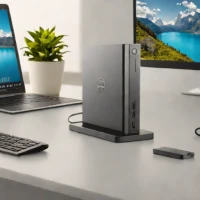


Reviews & Comments
Write a Review
Be the first to review
Share your thoughts with the community and help others make better decisions.


