
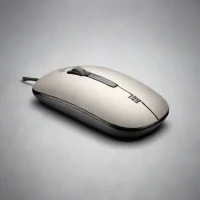
description Dell WM126 Mouse Overview
This mouse represents the reliable, no-frills corporate standard. It is often chosen by large organizations for its predictable performance, ease of bulk procurement, and straightforward wired connection. While it lacks modern silent click technology, its reliability and universal compatibility make it a safe, dependable choice for environments where hardware consistency and simple plug-and-play functionality outweigh advanced features or absolute silence.
help Dell WM126 Mouse FAQ
Is the Dell WM126 wireless or wired?
The Dell WM126 is a wireless optical mouse that uses a small USB receiver. The catalog description incorrectly refers to a wired connection, so buyers should rely on the WM126 model specification.
How many buttons does the Dell WM126 have?
The WM126 has the standard left and right buttons plus a clickable scroll wheel. It is designed as a basic office mouse rather than a programmable gaming mouse.
What operating systems support the Dell WM126?
It uses a USB receiver and normally works through standard mouse drivers on Windows and other systems with compatible USB mouse support. Dell's exact support statement should be checked for a specific operating-system version.
Does the Dell WM126 have silent clicks?
No. The WM126 is a conventional office mouse and does not use the dedicated silent-click design found in newer quiet mice.
explore Explore More



Reviews & Comments
Write a Review
Be the first to review
Share your thoughts with the community and help others make better decisions.


