
description DIY Smart Mirror Overview
A DIY smart mirror combines a standard mirror with a microcontroller and display to show information like time, weather, calendar events, and customizable widgets directly overlaid on the reflective surface through software control.
help DIY Smart Mirror FAQ
How does a DIY smart mirror show text without blocking the reflection?
A display is mounted behind a two-way mirror, which reflects the viewer while allowing bright pixels to remain visible through the glass. Dark areas of the interface effectively disappear, so widgets should use bright text on a black background.
Should I build a smart mirror with a Raspberry Pi or an Arduino?
A Raspberry Pi is the practical choice for dashboards because it can run a full interface such as MagicMirror² and connect to Wi-Fi services. An Arduino or ESP32 is better suited to simple sensor or lighting control than rendering calendars, weather and web widgets.
Can a smart mirror display my Google Calendar and local weather?
MagicMirror² supports modules for calendars, weather forecasts, clocks and news feeds. Google Calendar can usually be added through a private iCal URL, while weather modules require a location and often an API key.
What type of screen works best behind a smart mirror?
A thin LCD monitor with good brightness and an HDMI input is usually easiest to mount behind the glass. Before buying the mirror, test the panel because tinted two-way glass reduces brightness and can make dim displays difficult to read.
explore Explore More
Similar to DIY Smart Mirror
compare_arrows Compare: DIY Raspberry Pi Home Server See all arrow_forward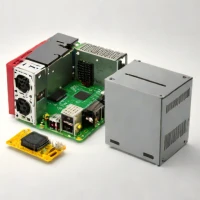


Reviews & Comments
Write a Review
Be the first to review
Share your thoughts with the community and help others make better decisions.


