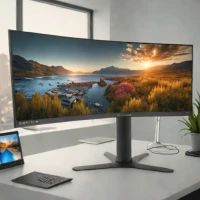
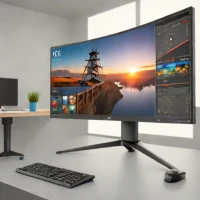
description Eizo ColorEdge CG319X Overview

The Eizo ColorEdge CG319X is a top-tier 31-inch 4K monitor renowned for its exceptional color accuracy and consistency. It boasts 99% Adobe RGB coverage, a Delta E value of less than 2, and a built-in self-calibration sensor that automatically adjusts for color drift due to aging or ambient light. Its wide viewing angles and uniform brightness make it ideal for professional photographers, graphic designers, and print professionals who require the highest level of color fidelity. The Shadow Compensation feature enhances visibility in dark areas without affecting color balance.

It's a significant investment, but delivers unparalleled performance.

recommend Best for: The Eizo ColorEdge CG319X is ideal for professional photographers, graphic designers, and video editors who require the most accurate and consistent color reproduction for critical color-sensitive work.

info Eizo ColorEdge CG319X Specifications

balance Eizo ColorEdge CG319X Pros & Cons

thumb_up Pros
  • check Exceptional Color Accuracy: Achieves 99% Adobe RGB coverage and a Delta E value of less than 2, ensuring highly accurate color reproduction.
  • check Automated Calibration: Built-in self-calibration sensor automatically compensates for color drift caused by aging and ambient light, maintaining consistent color over time.
  • check 4K Resolution: The 31-inch 4K (3840 x 2160) resolution provides incredibly sharp and detailed images, ideal for intricate editing work.
  • check Wide Viewing Angles: Offers wide viewing angles (178° horizontal and vertical) minimizing color shift when viewed from different positions.
  • check Uniformity Correction: Eizos uniformity correction technology ensures consistent brightness and color across the entire screen area.
  • check Signal Processing: Advanced signal processing minimizes noise and maximizes image clarity, revealing subtle details in photos.
thumb_down Cons
  • close High Price Point: The ColorEdge CG319X is a premium monitor with a significantly higher price tag compared to standard monitors.
  • close Limited Connectivity: While offering essential ports, it lacks some modern connectivity options like USB-C for video and power delivery.
  • close Bulky Design: The monitor's robust construction and calibration sensor contribute to a larger and heavier design, potentially requiring more desk space.
  • close Menu System Complexity: The on-screen display (OSD) menu system can be complex and overwhelming for users unfamiliar with professional monitor settings.
  • close No HDR Support: While color accurate, it lacks High Dynamic Range (HDR) support, which is increasingly desired for certain creative workflows.

help Eizo ColorEdge CG319X FAQ

How often should I run the self-calibration?

Eizo recommends running the self-calibration approximately every hour, or as frequently as your workflow demands. This ensures consistent color accuracy and minimizes drift due to environmental changes.

What is the Delta E value and why is it important?

Delta E measures the color difference between the intended color and the displayed color. A Delta E of less than 2, as with the CG319X, indicates exceptionally accurate and visually imperceptible color differences.

Does the CG319X require an external colorimeter?

While it has a built-in sensor for self-calibration, a periodic external calibration with a colorimeter is still recommended for the highest level of accuracy and consistency.

What input signals are supported by the CG319X?

The CG319X supports DisplayPort, HDMI, and DVI-D inputs, providing flexibility for connecting to various computers and devices. It does not support USB-C.

What is Eizo ColorEdge CG319X?
The Eizo ColorEdge CG319X is a top-tier 31-inch 4K monitor renowned for its exceptional color accuracy and consistency. It boasts 99% Adobe RGB coverage, a Delta E value of less than 2, and a built-in self-calibration sensor that automatically adjusts for color drift due to aging or ambient light. Its wide viewing angles and uniform brightness make it ideal for professional photographers, graphic designers, and print professionals who require the highest level of color fidelity. The Shadow Compensation feature enhances visibility in dark areas without affecting color balance. It's a significant investment, but delivers unparalleled performance.
How good is Eizo ColorEdge CG319X?
Eizo ColorEdge CG319X scores 9.8/10 (Brilliant) on Lunoo, making it one of the highest-rated options in the Photo Editing Monitor category. The Eizo ColorEdge CG319X earns a score of 9.7/10 due to its unparalleled color accuracy, automated calibration, and high resolution. While the high p...
How much does Eizo ColorEdge CG319X cost?
From $3300. Visit the official website for the most up-to-date pricing.
What are the best alternatives to Eizo ColorEdge CG319X?
See our alternatives page for Eizo ColorEdge CG319X for a ranked list with scores. Top alternatives include: Dell UltraSharp UP3221Q, BenQ SW321C, NEC PA272K-QD.
What is Eizo ColorEdge CG319X best for?

The Eizo ColorEdge CG319X is ideal for professional photographers, graphic designers, and video editors who require the most accurate and consistent color reproduction for critical color-sensitive work.

How does Eizo ColorEdge CG319X compare to Dell UltraSharp UP3221Q?
See our detailed comparison of Eizo ColorEdge CG319X vs Dell UltraSharp UP3221Q with scores, features, and an AI-powered verdict.
Is Eizo ColorEdge CG319X worth it in 2026?
With a score of 9.8/10, Eizo ColorEdge CG319X is highly rated in Photo Editing Monitor. See all Photo Editing Monitor ranked.
What are the key specifications of Eizo ColorEdge CG319X?
  • Delta E: < 2
  • Brightness: 350 cd/m²
  • Panel Size: 30.9 inches
  • Resolution: 3840 x 2160 (4K UHD)
  • Connectivity: DisplayPort, HDMI, DVI-D, USB (for calibration sensor)
  • Response Time: 16 ms (gray-to-gray)

Reviews & Comments

Write a Review

lock

Please sign in to share your review

rate_review

Be the first to review

Share your thoughts with the community and help others make better decisions.

Save to your list

Create your first list and start tracking the tools that matter to you.

Track favorites
Get updates
Compare scores

Already have an account? Sign in

Compare Items

See how they stack up against each other

Comparing
VS
Select 1 more item to compare