
description Fujitsu ScanSnap iX500 Overview
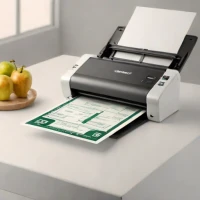
The Fujitsu ScanSnap iX500 is a desktop and portable document scanner designed for efficient scanning. It automatically handles duplexing and accommodates up to sixty sheets per scan. Wireless connectivity allows for immediate digitization of documents and media. This scanner is suitable for professionals, small businesses, and individuals needing reliable document management solutions.
help Fujitsu ScanSnap iX500 FAQ
How do I connect the Fujitsu ScanSnap iX500 to a Wi-Fi network?
You can connect the iX500 to a wireless network by using the ScanSnap Connect Application on a mobile device or the ScanSnap setup utility on a PC. Once connected, the scanner can wirelessly send PDFs and JPEGs directly to smartphones, tablets, or cloud services.
What is the scanning speed of the ScanSnap iX500?
The iX500 is remarkably fast for a portable scanner, capable of scanning up to 25 double-sided pages per minute. This high speed is powered by its built-in GI micro processing unit, which handles image compression directly on the device.
Can the ScanSnap iX500 scan directly to searchable PDFs?
Yes, the included ScanSnap Organizer software features built-in optical character recognition (OCR) technology. This allows the scanner to automatically create searchable and editable PDF files from your physical documents.
Does the Fujitsu ScanSnap iX500 work with Mac operating systems?
Yes, the scanner comes bundled with ScanSnap Manager software that is fully compatible with both Windows and macOS. Because it is an older model, users on newer versions of macOS should verify they are using the latest proprietary drivers.
explore Explore More
Similar to Fujitsu ScanSnap iX500
compare_arrows Compare: Ricoh ScanSnap iX2500 See all arrow_forward


Reviews & Comments
Write a Review
Be the first to review
Share your thoughts with the community and help others make better decisions.


