
description Gigabyte G27Q Overview
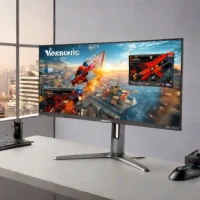
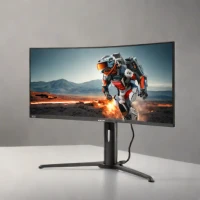
The Gigabyte G27Q offers a compelling entry point into 1440p gaming on a budget. Its 27-inch IPS panel delivers vibrant colors and wide viewing angles, crucial for a visually appealing gaming experience. The 165Hz refresh rate and 1ms response time provide smooth and responsive gameplay, while FreeSync compatibility minimizes screen tearing. While not the brightest monitor, its overall image quality and performance make it a strong contender for gamers seeking a step up from 1080p without a significant price increase.
A solid all-around performer.
help Gigabyte G27Q FAQ
Is the Gigabyte G27Q actually a 1440p monitor?
Yes. The Gigabyte G27Q is a 27-inch monitor with a 2560 x 1440 IPS panel, which is the common 1440p sweet spot for PC gaming. It gives more desktop space and sharper detail than a 1080p 27-inch screen.
Does the Gigabyte G27Q support high refresh rate gaming?
Yes. The G27Q is rated for up to 144 Hz on its 1440p IPS panel, which is enough for shooters, racing games, and general fast-paced play. It also supports adaptive sync features for smoother frame pacing with compatible GPUs.
How does the Gigabyte G27Q differ from the Gigabyte M27Q?
The G27Q and M27Q are both 27-inch 1440p IPS gaming monitors, but the M27Q line is usually positioned a step higher with features like a KVM switch on many models. The G27Q is the simpler budget pick if you mainly want 1440p, IPS color, and high refresh gaming.
Is the Gigabyte G27Q good for consoles like PS5 or Xbox Series X?
It can work well for 1440p output on modern consoles, especially Xbox Series X and PS5 after Sony added 1440p support. It is not a 4K HDMI 2.1 display, so it is not the right choice if you specifically want 4K at 120 Hz.
explore Explore More


Reviews & Comments
Write a Review
Be the first to review
Share your thoughts with the community and help others make better decisions.


