
description Google Pixel Tablet with Charging Speaker Dock Overview
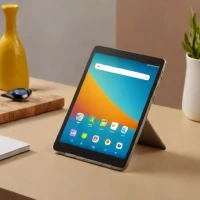
The Google Pixel Tablet is an Android tablet designed for versatile use. It transforms into a smart display when connected to the Charging Speaker Dock, utilizing Google Assistant for voice commands and displaying visual content. This device is suitable for individuals seeking a hands-free experience at home, particularly those already invested in the Google ecosystem and interested in smart home integration.
help Google Pixel Tablet with Charging Speaker Dock FAQ
How does the Google Pixel Tablet function when placed on the Charging Speaker Dock?
When magnetically docked, the Pixel Tablet transitions into a smart display mode similar to a Google Nest Hub, showing ambient information like weather and photos. The dock itself houses a much larger speaker system, turning the tablet into a high-quality room-filling audio player for music.
Can I use the Google Pixel Tablet as a Nest Cam while it is docked?
Yes, when the Pixel Tablet is locked and actively charging on the speaker dock, it functions locally as a home security camera. Through the Google Home app, you can securely stream a live feed of the room the tablet is sitting in while you are away.
Does the Charging Speaker Dock come included in the box with the Pixel Tablet?
Unlike many optional accessories, Google includes the Charging Speaker Dock directly in the standard retail box alongside the Pixel Tablet. This ensures every user can immediately experience the ambient smart display and enhanced audio features out of the box.
What processor powers the Google Pixel Tablet for multitasking?
The Pixel Tablet is powered by Google's first-generation Tensor G2 chip, the same robust silicon found in the Pixel 7 smartphone lineup. This processor enables smooth Google Assistant voice recognition and responsive split-screen multitasking when using Android apps.
explore Explore More
Similar to Google Pixel Tablet with Charging Speaker Dock
compare_arrows Compare: Lenovo Yoga Smart Tab with G... See all arrow_forward


Reviews & Comments
Write a Review
Be the first to review
Share your thoughts with the community and help others make better decisions.


