
description Google Pixelbook Go (High Spec) Overview
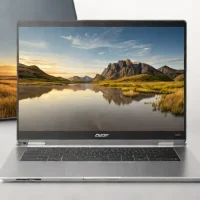
While not a raw power beast, the Pixelbook Go excels for the creator whose primary workflow revolves around cloud-based tools, web design, and portability. Its featherlight build and excellent battery life mean you can work reliably on location without carrying a power brick. Its ideal for UX/UI designers and writers who need a beautiful, distraction-free canvas that lasts all day on battery power.
help Google Pixelbook Go (High Spec) FAQ
What operating system does the Google Pixelbook Go use?
The Pixelbook Go runs ChromeOS, Google's operating system built around web applications, Android apps, and cloud services. It is best suited to workflows that live in Chrome, Google Workspace, and other browser-based tools.
Is the high-spec Pixelbook Go good for web design?
It can work well for browser-based design tools, coding environments, content management systems, and cloud collaboration. It is less suitable for demanding native Windows or professional video workloads because ChromeOS and its hardware are optimized for portability rather than workstation power.
Does the Pixelbook Go have a long battery life?
Google marketed the Pixelbook Go around long battery life and lightweight travel use, but real runtime varies with screen brightness, processor choice, tabs, and video playback. The high-spec version is still a portable Chromebook, not a machine that normally requires a large power brick for short trips.
Can the Pixelbook Go run Windows software?
It does not run ordinary Windows desktop applications natively as a standard ChromeOS laptop. Users may rely on web versions, Android apps, Linux development tools, or remote access to a Windows computer instead.
explore Explore More
Similar to Google Pixelbook Go (High Spec)
compare_arrows Compare: Dell Precision 7680 See all arrow_forward


Reviews & Comments
Write a Review
Be the first to review
Share your thoughts with the community and help others make better decisions.


