
description HP Z24n G2 Overview
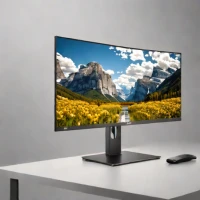
The HP Z24n G2 is a 24-inch desktop monitor designed for users needing accurate colors. Its IPS panel delivers 99% sRGB coverage, making it suitable for photo editing and general productivity. The slim bezel design and robust construction offer a professional aesthetic and reliable performance for both creative professionals and budget-conscious consumers.
help HP Z24n G2 FAQ
Is the HP Z24n G2 good for professional photo editing?
While categorized as a budget option, the Z24n G2 features a 24-inch IPS panel that covers 99% of the sRGB color gamut. This level of color accuracy makes it highly suitable for standard photo editing and graphic design work.
What is the resolution and aspect ratio of the HP Z24n G2 display?
The HP Z24n G2 features a native resolution of 1920 x 1200, which provides a slightly taller 16:10 aspect ratio compared to standard 1080p monitors. This extra vertical screen real estate is incredibly helpful for viewing large photos or editing long documents.
Can I daisy-chain multiple HP Z24n G2 monitors together?
Yes, this monitor includes a DisplayPort output that supports multi-streaming, allowing you to daisy-chain multiple screens together. This is a great feature for boosting productivity, as you can connect multiple displays to a single port on your PC.
Does the HP Z24n G2 have a USB hub built into it?
Yes, the monitor doubles as a connectivity hub by featuring a built-in 4-port USB hub. This makes it incredibly easy to plug in external hard drives, color calibration tools, or other USB peripherals directly to your desk.
explore Explore More


Reviews & Comments
Write a Review
Be the first to review
Share your thoughts with the community and help others make better decisions.


