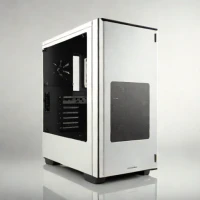
description Intel NUC 13 Pro Overview
The Intel NUC 13 Pro is a high-performance mini-PC that serves as a flexible platform for home labs, media servers, or compact workstations. It provides excellent connectivity, including multiple Thunderbolt ports, and supports high-speed NVMe storage.
It is a 'barebones' kit, meaning users must provide their own RAM and storage, which is a strength for those who want to customize their build but a barrier for non-technical users. While it is powerful, the small chassis can lead to thermal throttling during sustained high-intensity tasks like video encoding.
info Intel NUC 13 Pro Specifications
| Weight | 0.74 kg (1.63 lbs) |
| Network | Intel 2.5Gbps Ethernet |
| Storage | Dual NVMe PCIe Gen4 SSD |
| Graphics | Intel UHD Graphics 770 |
| Processor | 13th Gen Intel Core i7-13700 |
| Dimensions | 142 x 98 x 48.4 mm |
| Ram Support | DDR5 SO-DIMM, Up to 64GB |
| Power Supply | 200W |
| Thunderbolt Ports | 4 x Thunderbolt 4 |
| Operating System Support | Windows 11, Windows 10, Linux |
balance Intel NUC 13 Pro Pros & Cons
- Powerful 13th Gen Intel Core i7 processor delivers exceptional performance for demanding tasks.
- Multiple Thunderbolt 4 ports enable fast data transfer, display connectivity, and device charging.
- Supports dual NVMe SSDs for high-speed storage and increased capacity, ideal for media servers or workstations.
- Compact form factor (1.4L) allows for discreet placement in various environments.
- Flexible barebones design allows users to customize components to meet specific needs and budget.
- Integrated Intel UHD Graphics 770 provides adequate graphical capabilities for everyday use and light gaming.
- Being a barebones kit, it requires users to purchase RAM, storage, and an operating system separately, increasing the overall cost.
- Limited expandability beyond the two NVMe slots; no dedicated GPU slot restricts gaming performance.
- The barebones nature means some users may find the initial setup and configuration more complex than a pre-built system.
- Passive cooling design, while quiet, might struggle under sustained heavy loads, potentially leading to thermal throttling.
- Price point, even for the barebones kit, is relatively high compared to other mini-PCs.
help Intel NUC 13 Pro FAQ
What operating systems are compatible with the Intel NUC 13 Pro?
The NUC 13 Pro supports Windows 11, Windows 10, and various Linux distributions. Intel provides drivers and support for Windows 11, but compatibility with other operating systems may require manual configuration.
Can I install a dedicated graphics card in the NUC 13 Pro?
No, the NUC 13 Pro does not have a dedicated PCIe slot for a graphics card. It relies on the integrated Intel UHD Graphics 770, which is suitable for basic graphical tasks but not high-end gaming.
What type of RAM does the NUC 13 Pro support, and what is the maximum capacity?
The NUC 13 Pro supports DDR5 SO-DIMM RAM. It has two slots, supporting up to 64GB of RAM, with a maximum speed of 5600MHz. Check Intel's specifications for supported memory configurations.
What are the dimensions of the NUC 13 Pro?
The NUC 13 Pro measures 142 x 98 x 48.4 mm (5.59 x 3.86 x 1.91 inches). Its compact size makes it ideal for space-constrained environments.
What is Intel NUC 13 Pro?
How good is Intel NUC 13 Pro?
How much does Intel NUC 13 Pro cost?
What are the best alternatives to Intel NUC 13 Pro?
What is Intel NUC 13 Pro best for?
The Intel NUC 13 Pro is ideal for tech enthusiasts, home lab builders, and professionals needing a compact and powerful workstation for tasks like media creation, software development, or running a home server.
How does Intel NUC 13 Pro compare to Anker PowerExpand 5-in-1 Thunderbolt 5 Dock?
Is Intel NUC 13 Pro worth it in 2026?
What are the key specifications of Intel NUC 13 Pro?
- Weight: 0.74 kg (1.63 lbs)
- Network: Intel 2.5Gbps Ethernet
- Storage: Dual NVMe PCIe Gen4 SSD
- Graphics: Intel UHD Graphics 770
- Processor: 13th Gen Intel Core i7-13700
- Dimensions: 142 x 98 x 48.4 mm
explore Explore More
Similar to Intel NUC 13 Pro
See all arrow_forwardReviews & Comments
Write a Review
Be the first to review
Share your thoughts with the community and help others make better decisions.