
description Keychron K3 (Compact Mechanical) Overview
While not explicitly ergonomic, the K3 is highly rated for its excellent balance of premium mechanical feel, compact size, and wireless convenience. It is a fantastic choice for users who want the tactile satisfaction of mechanical switches but prefer a smaller footprint over a full split design. Its hot-swappable nature allows for easy switch experimentation without soldering, appealing to the enthusiast who values aesthetics and function.
help Keychron K3 (Compact Mechanical) FAQ
Does the Keychron K3 have hot-swappable switches?
The Keychron K3 Version 2 offers hot-swappable switches on its barebones models, allowing you to easily change them without soldering. You can swap in standard low-profile mechanical switches from brands like Gateron to customize your typing feel.
Is the Keychron K3 compatible with Mac and Windows?
Yes, the Keychron K3 includes a physical toggle switch to seamlessly transition between macOS and Windows layouts. It even comes with extra keycaps in the box so you can match the layout to whichever operating system you are using.
How many devices can I connect to via Bluetooth on the Keychron K3?
You can pair the Keychron K3 with up to three different devices simultaneously using Bluetooth 5.1. Switching between them is as simple as pressing Fn + Q, W, or E to toggle between your connected laptop, tablet, and phone.
What kind of switches does the Keychron K3 use?
The Keychron K3 utilizes low-profile mechanical switches, such as the Keychron Optical or Gateron Low-profile Red, Brown, or Banana switches. This keeps the keyboard incredibly thin at just 22mm thick while still providing the tactile feedback of a mechanical keyboard.
explore Explore More
Similar to Keychron K3 (Compact Mechanical)
See all arrow_forward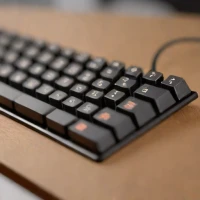


Reviews & Comments
Write a Review
Be the first to review
Share your thoughts with the community and help others make better decisions.


