
description Keychron K8 Pro Overview
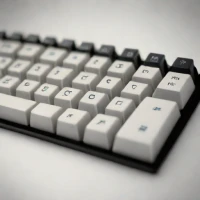
The Keychron K8 Pro combines a tenkeyless layout with wired USB connectivity and multi-device Bluetooth. Removing the number pad saves desk space while retaining the function row and dedicated navigation area. Its QMK and VIA support allows key assignments and layers to be customized, giving the board a role beyond a fixed-layout office keyboard. Hot-swappable versions allow compatible switches to be changed without soldering, while certain assembled configurations include pre-lubricated switches and PBT keycaps.
Those details are configuration-dependent, so the exact version matters. It suits people moving between computers who also want control over the keyboard's behavior and feel. Wireless convenience and firmware customization address different needs within the same board. The official product page distinguishes its variants.
help Keychron K8 Pro FAQ
Can the Keychron K8 Pro use VIA without flashing custom firmware?
Yes, the K8 Pro supports QMK and VIA for remapping keys and programming layers. VIA configuration is normally performed over a wired connection, even though the keyboard also supports Bluetooth.
Does the K8 Pro support 2.4 GHz wireless?
No, the K8 Pro offers Bluetooth and USB-C wired operation, but not a dedicated 2.4 GHz receiver. It can pair with multiple Bluetooth devices and switch among them using keyboard shortcuts.
Can I replace the switches in every Keychron K8 Pro?
Only the hot-swappable version allows switches to be removed without soldering; a soldered version has also been sold. Buyers should check the exact configuration before ordering, including whether it accepts Gateron-style mechanical switches.
Will the K8 Pro keycaps work properly with a Mac?
Yes, the keyboard includes a physical Mac and Windows mode switch and is supplied with platform-appropriate modifier keycaps in common configurations. Its tenkeyless layout keeps function and navigation keys but omits the number pad.
explore Explore More


Reviews & Comments
Write a Review
Be the first to review
Share your thoughts with the community and help others make better decisions.


