
description Microsoft Surface Laptop Studio 1 Overview
This older generation model still holds value for users who prioritize the unique form factor and stylus experience over the absolute latest performance metrics. It remains a highly capable 2-in-1 for sketching and interactive design work. While newer models offer better performance, the older Studio 1 remains a reliable, aesthetically pleasing choice for artists who value the physical interaction of drawing on screen.
help Microsoft Surface Laptop Studio 1 FAQ
What is special about the Microsoft Surface Laptop Studio 1?
The Surface Laptop Studio 1 uses a convertible form factor that can shift between laptop, stage, and studio-style positions. That design is especially useful for sketching, touch work, and stylus-based interaction.
Does the Surface Laptop Studio 1 support a stylus?
Yes. The device is designed around pen and touch interaction, making it useful for drawing and interactive design work. Confirm whether a Surface Slim Pen is included, because accessories may be sold separately.
Is the Surface Laptop Studio 1 still useful for design work?
It remains attractive to users who value its flexible form and pen experience more than having the newest processor. Newer Surface Laptop Studio generations offer newer hardware, so buyers should compare performance needs and used-market condition.
What are the main alternatives to the Surface Laptop Studio 1?
The closest alternatives are newer Surface Laptop Studio models and other premium 2-in-1 laptops with pen support, such as Lenovo Yoga or HP Spectre x360 devices. The Surface model stands out mainly for its pull-forward convertible screen design.
explore Explore More
Similar to Microsoft Surface Laptop Studio 1
compare_arrows Compare: Acer Swift X 16 See all arrow_forward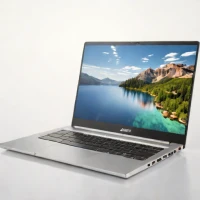

Reviews & Comments
Write a Review
Be the first to review
Share your thoughts with the community and help others make better decisions.


