
description Microsoft Xbox Parental Control Dashboard (Web) Overview
The web dashboard provides a high-level, administrative view of the family's Xbox accounts. While the mobile app is better for day-to-day use, the web portal is superior for initial setup, auditing account permissions, and making major policy changes across the entire family group from a desktop computer. It's the 'master control' panel for account governance.
help Microsoft Xbox Parental Control Dashboard (Web) FAQ
What can I manage from the Microsoft Xbox parental control web dashboard?
The Microsoft Family Safety website lets an adult manage family members, Xbox app and game limits, screen-time schedules, and selected content settings from a browser. It applies to Xbox One and Xbox Series X|S accounts linked to the Microsoft family group. [Microsoft app and game limits](https://support.microsoft.com/en-US/family-safety/set-app-and-game-limits)
Can I set different Xbox play times for weekdays and weekends?
Yes, the web interface supports daily schedules, so Monday can have a different time window from Saturday. Microsoft notes that Xbox screen time continues while the child is signed in, even if no game is actively being played. [Microsoft screen-time limits](https://support.microsoft.com/en-US/family-safety/set-screen-time-limits-across-devices)
Do Microsoft Family web filters work with every Xbox browser?
No, Microsoft's web and search filters work with Microsoft Edge rather than every browser. The supported device list includes Windows, Xbox One, Xbox Series X|S, and Android devices where the required Microsoft apps are present. [Microsoft Family Safety web filters](https://support.microsoft.com/en-US/family-safety/filter-websites-and-searches-using-microsoft-family-safety)
Can the web dashboard control Xbox purchases and online communication?
It can manage family permissions and purchase approval settings, while Xbox privacy and online-safety controls govern communication and multiplayer access. For a child account, check both the family website and the Xbox privacy settings on the console before assuming one screen changed everything.
explore Explore More
Similar to Microsoft Xbox Parental Control Dashboard (Web)
compare_arrows Compare: Microsoft Family Safety Web... See all arrow_forward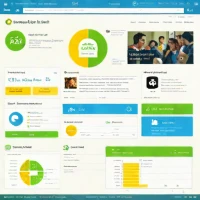


Reviews & Comments
Write a Review
Be the first to review
Share your thoughts with the community and help others make better decisions.


