
description MixMeister Studio Overview
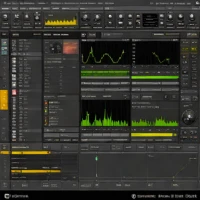
MixMeister Studio is DJ software that allows users to create and meticulously edit seamless transitions between audio tracks by visually manipulating waveforms and beatgrids for precise mixing control.
help MixMeister Studio FAQ
Is MixMeister Studio still supported or getting updates?
MixMeister Studio is currently distributed by inMusic (parent company of Numark and Akai Professional), but the product has seen only minimal updates in recent years. Many users on the MixMeister user forums continue running older versions on Windows 10.
How is MixMeister Studio different from MixMeister Fusion?
MixMeister Studio is the lower-tier product focused on playlist-style mix editing and beat-matched transitions, while MixMeister Fusion adds live performance features like VST plugin support, multiple output channels, and an expanded track count. Fusion is the more advanced product in the line.
Can MixMeister Studio export my mix as an audio file?
Yes, MixMeister Studio can render your completed mix to a single WAV or MP3 file for sharing or burning to CD. Export settings include sample rate, bitrate, and track marker options.
Does MixMeister Studio support DJ controllers or timecode vinyl?
No, MixMeister Studio is primarily a sequencer-style mix editor and does not support timecode vinyl control like Serato DJ or Traktor Pro. It's designed for in-studio mix construction with a mouse and keyboard rather than live DJ performance.
explore Explore More



Reviews & Comments
Write a Review
Be the first to review
Share your thoughts with the community and help others make better decisions.


