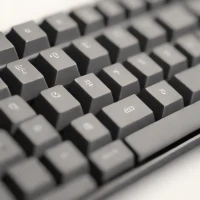
description Moonlander Mark I Overview
The Moonlander Mark I is a unique split ergonomic keyboard with adjustable tenting and tilting capabilities, allowing for a highly personalized typing experience. Its ortholinear key layout and split design promote a more natural hand position. It's fully programmable via QMK firmware, enabling custom keymaps and macros. The Moonlander's premium build quality and distinctive design make it a statement piece for the executive workspace.
It's ideal for those seeking a highly adjustable and customizable ergonomic solution, with a focus on comfort and performance.
info Moonlander Mark I Specifications
| Layout | Split ortholinear (60%) |
| Weight | 1.2 lbs per half (without cable) |
| Firmware | QMK compatible |
| Key Count | 70 keys total (35 per half) |
| Processor | ARM Cortex-M4 (120MHz) |
| Dimensions | Each half: 9.5 x 5.5 x 1.2 inches |
| Backlighting | Per-key RGB |
| Connectivity | USB-C (wired) |
| Tenting Range | 0-45 degrees adjustable |
| Frame Material | Aluminum |
| Operating Systems | Windows, macOS, Linux |
| Switch Compatibility | Cherry MX style (3-pin/5-pin) |
balance Moonlander Mark I Pros & Cons
- Split ergonomic design promotes natural hand and shoulder positioning, reducing strain during extended typing sessions
- Fully programmable via QMK firmware with unlimited macro support and key remapping capabilities
- Adjustable tenting and tilting allows precise angle customization for optimal wrist comfort
- Ortholinear key layout reduces finger travel distance and can improve typing efficiency
- High build quality with durable aluminum frame and premium switches
- Hot-swappable PCB allows easy switch changes without soldering
- Steep learning curve due to ortholinear layout and split design requiring significant adjustment period
- Premium pricing at $300-400 puts it in a higher price tier than conventional mechanical keyboards
- Compact 60% layout omits function row and number pad, requiring layer key usage
- Programming and customization requires technical knowledge of QMK firmware
- May not be suitable for users who frequently travel or need compact keyboard solutions
help Moonlander Mark I FAQ
How difficult is it to learn the Moonlander Mark I ortholinear layout?
The ortholinear layout requires a 2-4 week adjustment period as finger movements change from staggered rows to grid alignment. Using QMK's Carpalx or Colemak layouts can ease the transition. Most users report full proficiency within a month of consistent daily use.
Can I use the Moonlander Mark I with both Mac and Windows?
Yes, the Moonlander Mark I is cross-platform compatible. It includes an ARM32-bit processor running QMK firmware and works with macOS, Windows, and Linux. Dedicated keymaps for each operating system are available and easily switchable.
What switches are compatible with the Moonlander Mark I?
The Moonlander Mark I supports Cherry MX-style switches and compatible clones, including MX, Alps, and Kailh switches. The hot-swappable PCB allows tool-free switch replacement. Popular choices include Cherry MX Browns for typing and Gat Yellows for gaming.
How does the tenting work and what angles are supported?
The integrated tenting system allows adjustable angles from 0 to 45 degrees using the built-in legs and optional tenting kits. This customization enables users to achieve neutral wrist positions, reducing forearm pronation and associated strain.
Is the Moonlander Mark I worth the high price compared to standard keyboards?
For users experiencing typing-related discomfort or seeking maximum customization, the investment is justified. The premium build quality, QMK programmability, and ergonomic design provide long-term health benefits. However, casual users may find standard keyboards more cost-effective.
What is Moonlander Mark I?
How good is Moonlander Mark I?
How much does Moonlander Mark I cost?
What are the best alternatives to Moonlander Mark I?
What is Moonlander Mark I best for?
Professional typists, developers, and users experiencing repetitive strain injuries who prioritize ergonomic design and maximum keyboard customization.
How does Moonlander Mark I compare to Moonlander 2?
Is Moonlander Mark I worth it in 2026?
What are the key specifications of Moonlander Mark I?
- Layout: Split ortholinear (60%)
- Weight: 1.2 lbs per half (without cable)
- Firmware: QMK compatible
- Key Count: 70 keys total (35 per half)
- Processor: ARM Cortex-M4 (120MHz)
- Dimensions: Each half: 9.5 x 5.5 x 1.2 inches
explore Explore More
Similar to Moonlander Mark I
See all arrow_forwardReviews & Comments
Write a Review
Be the first to review
Share your thoughts with the community and help others make better decisions.