
description OWC ThunderBay 4 Overview
help OWC ThunderBay 4 FAQ
Is OWC ThunderBay 4 a PCIe card or an external enclosure?
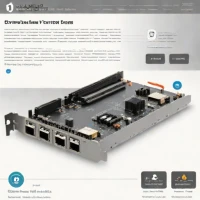
It is a four-bay external storage enclosure, not a PCIe expansion card. Depending on the generation, it connects over Thunderbolt 2 or Thunderbolt 3 and accepts 2.5-inch or 3.5-inch SATA drives. [OWC ThunderBay 4](https://my.owc.com/nab/thunderbay-4/)
Can you hot-swap drives in ThunderBay 4?
Yes, the ThunderBay line supports hot-swapping, but you should unmount or eject a standalone volume first and follow the RAID replacement steps. In a redundant array such as RAID 5, removing a failed drive leaves the array degraded until the replacement rebuilds. [OWC hot-swap guide](https://software.owc.com/knowledge-base/how-to-hot-swap-a-drive-in-a-thunderbay-or-mercury-elite-pro-quad-enclosure/)
What RAID modes does ThunderBay 4 support?
The current ThunderBay 4 page lists RAID 0, 1, 4, 5, 10, and JBOD when used with SoftRAID. Exact support depends on the enclosure generation, controller, and software, so a legacy Thunderbolt 2 unit should not be assumed identical to the current Thunderbolt 3 model. [OWC ThunderBay 4](https://my.owc.com/nab/thunderbay-4/)
Does ThunderBay 4 work with Windows and Mac?
OWC lists macOS and Windows compatibility for the current Thunderbolt 3 model, with Apple Silicon and Intel Mac support. The computer still needs a compatible Thunderbolt connection or adapter because a generic USB-C port is not automatically Thunderbolt. [OWC ThunderBay 4](https://my.owc.com/nab/thunderbay-4/)
explore Explore More
Similar to OWC ThunderBay 4
compare_arrows Compare: AKiTiO Node Thunderbolt 3 eG... See all arrow_forward


Reviews & Comments
Write a Review
Be the first to review
Share your thoughts with the community and help others make better decisions.


