
description Razer Pro Type Ultra Overview
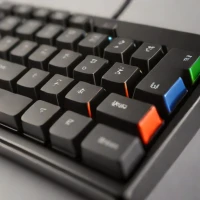
For users who want a desktop-grade mechanical typing experience with their tablet, the Razer Pro Type Ultra is a powerhouse. It features high-quality mechanical switches and a full layout including a number pad. While it isn't a 'case,' its wireless connectivity makes it a top-tier peripheral for turning any tablet into a heavy-duty workstation.
help Razer Pro Type Ultra FAQ
What switches are used in the Razer Pro Type Ultra?
The Razer Pro Type Ultra features Razer's silent mechanical switches, specifically designed to offer a quiet typing experience suitable for office environments. They are linear switches, meaning they provide a smooth keystroke without a tactile bump or loud click. This makes them much quieter than Razer's famous Green switches found in gaming keyboards.
Can you connect the Razer Pro Type Ultra to multiple devices?
Yes, the Pro Type Ultra supports both Bluetooth and a 2.4GHz wireless dongle, allowing you to pair with up to three devices simultaneously. You can easily switch between a laptop, desktop, and tablet using the switch on the back of the keyboard. It also includes a USB-C cable for wired use while charging.
Does the Razer Pro Type Ultra come with a wrist rest?
Yes, the keyboard comes packaged with a plush, leatherette wrist rest that magnetically snaps to the bottom edge. This provides excellent ergonomic support for long typing sessions. The wrist rest is also coated to resist sweat and wear over time.
Is the Razer Pro Type Ultra compatible with Mac computers?
Yes, it is fully compatible with both Windows and macOS operating systems. It includes a hardware switch that swaps the Alt and Command keys to match the Mac layout. However, the dedicated Razer Synapse software required for customizing the RGB lighting is only officially available for Windows.
explore Explore More
Similar to Razer Pro Type Ultra
See all arrow_forward

Reviews & Comments
Write a Review
Be the first to review
Share your thoughts with the community and help others make better decisions.


