
description Seagate FireCuda External SSD Overview
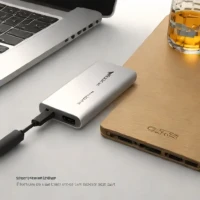
The Seagate FireCuda External SSD is a portable solid-state drive designed for high-speed data transfer, utilizing a USB 3.2 Gen 2 interface to achieve read speeds up to 1030 MB/s. It features a compact form factor and includes customizable RGB LED lighting that can be configured using the Seagate Toolkit software. The drive is marketed toward PC and console gamers who require fast load times and external storage expansion. It connects via a USB Type-C cable and is compatible with Windows, macOS, and PlayStation systems.
help Seagate FireCuda External SSD FAQ
Will the FireCuda External SSD reach its advertised speed on any USB-C port?
No. A FireCuda model rated around 1,030 MB/s needs a USB 3.2 Gen 2 connection to approach that speed, while an older or slower USB port becomes the bottleneck.
Can the FireCuda External SSD store and launch PC games?
Yes. Windows can install Steam, Epic Games Store, and other PC libraries on an external SSD, although actual loading performance depends on the USB connection and the game.
How do you change the FireCuda drive's RGB lighting?
Seagate Toolkit provides the lighting controls for compatible FireCuda Gaming SSD variants. Some models can also coordinate their lighting with the wider Razer Chroma RGB ecosystem.
Is every Seagate FireCuda external SSD a 1,030 MB/s model?
No. Seagate has sold similarly named FireCuda Gaming SSDs with different interfaces, including faster USB 3.2 Gen 2x2 variants advertised near 2,000 MB/s, so the model number matters.
explore Explore More
Similar to Seagate FireCuda External SSD
See all arrow_forward


Reviews & Comments
Write a Review
Be the first to review
Share your thoughts with the community and help others make better decisions.


