
description Streamlit Overview
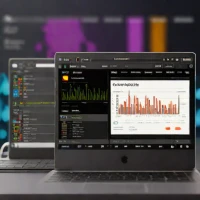
While technically a framework rather than a notebook editor, Streamlit is the industry standard for turning Jupyter Notebook logic into interactive web applications. It allows data scientists to write pure Python code to create dashboards and ML tools without needing to learn HTML, CSS, or JavaScript. It is often used as the 'next step' after finishing a notebook.
help Streamlit FAQ
Can Streamlit turn a Jupyter notebook analysis into a usable web app?
Yes. Streamlit lets you take Python logic from a notebook and wrap it with widgets, charts, tables, file uploaders, and controls without writing a React or Flask frontend.
What does Streamlit use instead of HTML and JavaScript?
A Streamlit app is mostly a Python script using commands like `st.write`, `st.dataframe`, `st.slider`, and `st.plotly_chart`. The framework handles reruns and UI rendering when a user changes inputs.
How do teams deploy Streamlit apps after prototyping locally?
For public projects, Streamlit Community Cloud can deploy from GitHub. Enterprise teams often use Streamlit in Snowflake or deploy Streamlit apps behind their own infrastructure for authentication, private data, and governance.
Is Streamlit a notebook editor like JupyterLab?
No. Streamlit is a web app framework, while JupyterLab is an interactive notebook environment; many teams prototype in Jupyter and then use Streamlit to share the result with non-technical users.
explore Explore More



Reviews & Comments
Write a Review
Be the first to review
Share your thoughts with the community and help others make better decisions.


