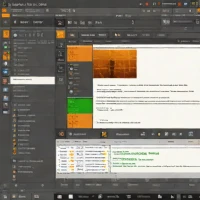
description Sublime Text Overview

Sublime Text is a sophisticated text editor for code, markup, and prose. Known for its speed and efficiency, it boasts a minimalist interface and a powerful plugin architecture. While not a full-fledged IDE, its extensive plugin ecosystem allows for customization to suit various development workflows. Sublime Text's cross-platform compatibility and lightweight nature make it a versatile option for teams working across different operating systems.

The licensing model is unique it's shareware, meaning you can use it indefinitely without purchasing a license, but a license is encouraged.

recommend Best for: Developers who prefer a lightweight editor with powerful extensibility and need quick performance.

info Sublime Text Specifications

balance Sublime Text Pros & Cons

thumb_up Pros
  • check Extremely fast and responsive
  • check Highly customizable with plugins
  • check Supports multiple programming languages including TypeScript
  • check Real-time syntax highlighting
thumb_down Cons
  • close Limited built-in features compared to full IDEs
  • close No native version control integration
  • close Lack of official support for some newer languages
  • close Not suitable for complex projects without extensive plugin usage

help Sublime Text FAQ

Is Sublime Text free?

Yes, it offers a free trial and a free version with limited features.

Can I use Sublime Text for web development?

Absolutely, it supports HTML, CSS, JavaScript, and many other web technologies through plugins.

How do I install plugins in Sublime Text?

You can install plugins via Package Control or the Command Palette. Simply search for a plugin name to find and install it.

What is Sublime Text?
Sublime Text is a sophisticated text editor for code, markup, and prose. Known for its speed and efficiency, it boasts a minimalist interface and a powerful plugin architecture. While not a full-fledged IDE, its extensive plugin ecosystem allows for customization to suit various development workflows. Sublime Text's cross-platform compatibility and lightweight nature make it a versatile option for teams working across different operating systems. The licensing model is unique it's shareware, meaning you can use it indefinitely without purchasing a license, but a license is encouraged.
How good is Sublime Text?
Sublime Text scores 9.0/10 (Excellent) on Lunoo, making it one of the highest-rated options in the Project Management category. Sublime Text scores 8.8/10 due to its exceptional speed, extensive plugin ecosystem, and support for multiple programming languages. However, it lacks...
How much does Sublime Text cost?
Free Plan. Visit the official website for the most up-to-date pricing.
What are the best alternatives to Sublime Text?
See our alternatives page for Sublime Text for a ranked list with scores. Top alternatives include: Notepad++, Sublime Text with Plugins, Sublime Text + Rust Package.
What is Sublime Text best for?

Developers who prefer a lightweight editor with powerful extensibility and need quick performance.

How does Sublime Text compare to Notepad++?
See our detailed comparison of Sublime Text vs Notepad++ with scores, features, and an AI-powered verdict.
Is Sublime Text worth it in 2026?
With a score of 9.0/10, Sublime Text is highly rated in Project Management. See all Project Management ranked.
What are the key specifications of Sublime Text?
  • API: Yes, with Sublime Text API for custom development
  • Platforms: Windows, macOS, Linux
  • Integration: Supports Git, Mercurial, and other version control systems via plugins
  • Languages Supported: Python, JavaScript, HTML, CSS, JSON, YAML, and many more through plugins

Reviews & Comments

Write a Review

lock

Please sign in to share your review

rate_review

Be the first to review

Share your thoughts with the community and help others make better decisions.

Save to your list

Create your first list and start tracking the tools that matter to you.

Track favorites
Get updates
Compare scores

Already have an account? Sign in

Compare Items

See how they stack up against each other

Comparing
VS
Select 1 more item to compare