
description XP-Pen Deco Mini 2 Overview
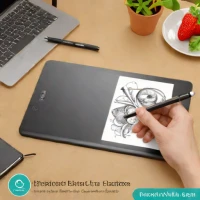
The XP-Pen Deco Mini 2 is a remarkably compact and portable drawing tablet, ideal for artists on the go. While it sacrifices some screen size and features compared to the Intuos Small, its affordability and ease of use make it a great option for beginners and casual artists. The 4.0 x 3.0 inch color LCD screen is sufficient for sketching and basic illustration, and the tablet's lightweight design makes it easy to carry around.
help XP-Pen Deco Mini 2 FAQ
Is the XP-Pen Deco Mini 2 good for a beginner artist?
Yes, its low price and plug-and-play simplicity make it a frequent first tablet. It uses XP-Pen's battery-free pen with 8192 pressure levels, so beginners get real pressure response without paying Wacom Intuos money.
How does the Deco Mini 2 differ from a Wacom Intuos Small?
The XP-Pen undercuts the Intuos Small on price while giving up some polish, extra features, and Wacom's tablet ecosystem. Its smaller footprint is either a plus for portability or a minus if you like big arm-driven strokes.
Can I use the XP-Pen Deco Mini 2 with an Android phone?
Many recent XP-Pen tablets connect to Android devices via an OTG adapter for drawing in mobile apps, and the compact Deco Mini line is marketed with portability in mind. Verify the specific model's compatibility list before assuming phone support.
What programs can I run with the XP-Pen Deco Mini 2?
As a standard HID device it works in Photoshop, Krita, Clip Studio Paint, GIMP, and similar apps on Windows and macOS. Driver-based pressure sensitivity needs XP-Pen's software installed, so set that up before your drawing program.
explore Explore More


Reviews & Comments
Write a Review
Be the first to review
Share your thoughts with the community and help others make better decisions.


