
description TensorBoard Overview
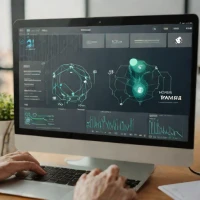
TensorBoard is the indispensable visualization tool for monitoring deep learning experiments. It allows users to track metrics like loss curves, visualize model graphs, view embedding projections, and compare runs side-by-side. Effective experiment tracking is crucial for reproducibility, and TensorBoard provides the most comprehensive, user-friendly dashboard for this purpose, regardless of the underlying framework.
help TensorBoard FAQ
How do I launch TensorBoard in Google Colab?
To launch TensorBoard in Google Colab, you must first load the TensorBoard notebook extension using the magic command `%load_ext tensorboard`. Then, you can start the dashboard by running `%tensorboard --logdir logs` in a new cell, pointing to your output directory. This embeds the interactive visualization interface directly within the Colab cell output.
Can I use TensorBoard with PyTorch models?
Yes, TensorBoard is fully compatible with PyTorch via the `torch.utils.tensorboard.SummaryWriter` API. You can log scalar metrics like training loss, visualize model graphs, and inspect embeddings by writing data to a local event file. This integration works natively in PyTorch without needing to rely exclusively on TensorFlow or Keras.
How do I view model graphs in TensorBoard?
To view your model architecture, you need to pass a dummy input tensor through your model and write it using `SummaryWriter.add_graph(model, input)`. Once TensorBoard loads the event files, you can navigate to the 'Graphs' tab on the top navigation bar to see a visual, node-based map of your layers. This is highly useful for debugging structural flaws in complex networks.
What is the difference between TensorBoard and Weights & Biases?
TensorBoard is an open-source, locally hosted tool built primarily for visualizing TensorFlow and PyTorch metrics during a single run or local session. Weights & Biases (W&B) is a commercial, cloud-based platform that focuses heavily on experiment tracking, team collaboration, model registry, and hyperparameter tuning across distributed environments. While TensorBoard is free and great for individuals, W&B excels in enterprise machine learning operations.
explore Explore More



Reviews & Comments
Write a Review
Be the first to review
Share your thoughts with the community and help others make better decisions.


