
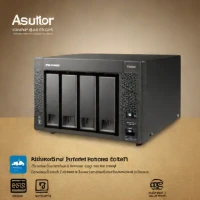
description TerraMaster D4-300 Overview
TerraMaster consistently offers impressive hardware specifications at a highly competitive price point. The D4-300 is favored by users who prioritize raw storage capacity and hardware features over the absolute polish of the top-tier brands. It provides a solid, expandable platform for building a powerful home server setup without breaking the bank, making it a favorite among DIY enthusiasts.
help TerraMaster D4-300 FAQ
Is the TerraMaster D4-300 a true Network Attached Storage (NAS) device or a Direct Attached Storage (DAS) enclosure?
The TerraMaster D4-300 functions as a Direct Attached Storage (DAS) device via a USB 3.0 Type-C connection, rather than connecting directly to an Ethernet network. It relies on a host computer to access the drives rather than functioning as an independent standalone server.
What is the maximum raw storage capacity I can achieve by fully populating the TerraMaster D4-300?
The D4-300 features four hot-swappable SATA drive bays, allowing you to install standard 3.5-inch hard drives or 2.5-inch SSDs. Depending on the current market availability of high-capacity enterprise drives, it can easily hold dozens of terabytes of raw data.
Can I configure the TerraMaster D4-300 to run in a RAID 5 array for data redundancy?
Because it operates via hardware RAID, the D4-300 features an internal controller that supports various configurations including RAID 0, 1, 5, and 10. This allows you to set up a secure RAID 5 array for data redundancy without taxing your computer's CPU.
How loud is the internal cooling fan on the TerraMaster D4-300 enclosure?
TerraMaster enclosures generally feature an aluminum casing that acts as a passive heatsink, but the D4-300 still relies on an internal cooling fan. While the fan noise is generally manageable, it can become audible during heavy read/write operations, making it less ideal for a quiet recording studio.
explore Explore More
Similar to TerraMaster D4-300
compare_arrows Compare: Raspberry Pi 5 with External... See all arrow_forward


Reviews & Comments
Write a Review
Be the first to review
Share your thoughts with the community and help others make better decisions.


