
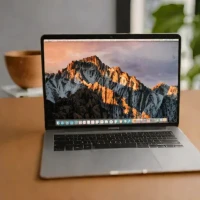
description MacBook Pro 14-inch (M3, 8GB RAM) Overview
This configuration offers the superior display and cooling of the Pro line with the efficiency of the M3 chip, but at a lower memory tier. It's ideal for users who prioritize screen quality and sustained performance over the ability to run dozens of virtual machines simultaneously. Its a step up from the Air in build quality and display technology.
help MacBook Pro 14-inch (M3, 8GB RAM) FAQ
Why would someone choose the MacBook Pro 14-inch with 8GB of RAM over a MacBook Air?
The MacBook Pro 14-inch offers the superior Liquid Retina XDR display, advanced ports, and active cooling fans that the MacBook Air lacks. Even with only 8GB of RAM, it is ideal for users who prioritize screen quality and sustained performance during heavy workloads. The M3 chip ensures it remains incredibly powerful for everyday tasks.
Is 8GB of unified memory sufficient for video editing on the M3 MacBook Pro?
While 8GB of RAM is on the lower end, Apple's M3 chip architecture is highly efficient at managing unified memory. It can comfortably handle 1080p and basic 4K video editing in Final Cut Pro without major issues. However, users running massive virtual machines or heavy After Effects compositions will likely experience bottlenecks.
Does the 14-inch M3 MacBook Pro have a better screen than the M3 MacBook Air?
Yes, the MacBook Pro features a Liquid Retina XDR display with mini-LED technology, which offers significantly higher brightness, deeper blacks, and better contrast than the Air's standard Liquid Retina display. It also features a 120Hz ProMotion refresh rate for ultra-smooth scrolling. This makes it vastly superior for HDR content consumption and creation.
Does the M3 MacBook Pro 14-inch overheat during long renders?
No, unlike the fanless MacBook Air, the 14-inch MacBook Pro includes an active cooling system with internal fans. This allows the M3 chip to run at higher sustained speeds during long renders without throttling down due to heat. It ensures consistent performance for heavy workloads.
explore Explore More
Similar to MacBook Pro 14-inch (M3, 8GB RAM)
compare_arrows Compare: MacBook Pro 14-inch M1 Pro (... See all arrow_forward


Reviews & Comments
Write a Review
Be the first to review
Share your thoughts with the community and help others make better decisions.


