
description Apple Studio Display XDR Overview
Apple's Studio Display XDR combines a 27-inch 5K screen with mini-LED backlighting for creative work. Its resolution is 5120 by 2880 at 218 pixels per inch. Local dimming and high HDR peak brightness support the display of bright highlights alongside darker image areas, while wide color gamut support serves photography and design workflows. Reference modes include settings for photography and HDR video, helping professionals view material within a chosen color standard.
The display also supports refresh rates up to 120Hz, although the connected device determines which rates are available. It suits photographers and video creators using compatible Apple hardware who need both fine image detail and HDR capability. Its combination of pixel density and reference modes distinguishes it from a basic office monitor.
help Apple Studio Display XDR FAQ
What Macs are compatible with the Apple Pro Display XDR?
The Apple Pro Display XDR connects via Thunderbolt 3 and is officially compatible with Mac models dating back to the 2016 MacBook Pro. It delivers its full 6K Retina resolution when connected to compatible Macs without the need for display scaling.
Does the Apple Studio Display have a 120Hz ProMotion screen?
The standard Apple Studio Display currently features a 5K resolution at a 60Hz refresh rate, not a 120Hz ProMotion panel. A 120Hz refresh rate is currently exclusive to Apple's 14-inch and 16-inch MacBook Pro line.
Can you use the Apple Pro Display XDR with a standard Windows PC?
Yes, you can use the Pro Display XDR with a Windows PC that has a compatible Thunderbolt 3 or Thunderbolt 4 port. However, you may lose out on macOS-specific features and will need to manually control the display's brightness through the monitor's physical controls.
What is the difference between the standard and nano-texture glass on Apple displays?
Apple offers a nano-texture glass option that etches the surface at the nanometer level to scatter light and drastically reduce glare. This option is significantly more expensive than the standard glass but is highly recommended for bright, sunlit editing environments.
explore Explore More
Similar to Apple Studio Display XDR
compare_arrows Compare: Dell UltraSharp 27 4K Premie... See all arrow_forward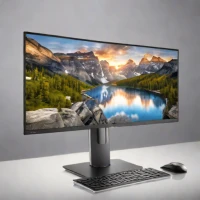


Reviews & Comments
Write a Review
Be the first to review
Share your thoughts with the community and help others make better decisions.


