
description Digital Drawing Tablet (Entry Level) Overview
For absolute beginners wanting to dip their toes into digital art without a large financial commitment, entry-level tablets offer a functional starting point. While they lack the advanced features of professional models, they allow users to learn the software interface and the concept of digital pressure sensitivity affordably.
help Digital Drawing Tablet (Entry Level) FAQ
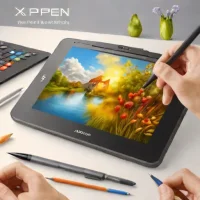
Do entry-level drawing tablets need a built-in screen?
No. Many entry-level tablets are screenless and let you draw while looking at a computer monitor. A screen tablet can feel more direct, but it usually costs more than a basic pen tablet.
What software can be used with an entry-level drawing tablet?
An entry-level tablet can be used with common drawing programs such as Krita, GIMP, Clip Studio Paint, and Adobe Photoshop. Compatibility depends on the tablet driver and the operating system, so Windows and macOS support should be checked before buying.
Are entry-level drawing tablets suitable for beginners?
Yes. They provide a low-cost way to learn pressure-sensitive pen control, layers, brushes, and digital canvas navigation. Beginners should expect a short adjustment period because hand movement happens on the tablet while the cursor appears on the monitor.
What features matter most in a beginner drawing tablet?
The most useful features are reliable drivers, a comfortable active area, pressure sensitivity, and a battery-free or dependable stylus. Shortcut keys are convenient, but they matter less than stable pen tracking and software compatibility.
explore Explore More
Similar to Digital Drawing Tablet (Entry Level)
compare_arrows Compare: Gaomon M106K See all arrow_forward


Reviews & Comments
Write a Review
Be the first to review
Share your thoughts with the community and help others make better decisions.


