
description Wacom One 13 Overview
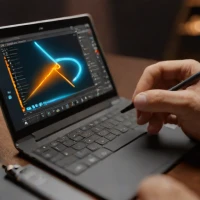
The Wacom One 13 is an entry-level pen display designed for aspiring digital artists and designers. Its 13.3-inch LED screen provides a natural drawing experience closely mimicking traditional art tools. This device bridges the gap for users moving from tablet to pen-display, offering intuitive control and responsiveness suitable for sketching, illustration, and basic graphic design projects. It’s ideal for beginners and those seeking an affordable starting point in digital art.
help Wacom One 13 FAQ
Do I need an external computer to use the Wacom One 13?
Yes, the Wacom One 13 is a pen display rather than a standalone tablet, meaning it must be plugged into a Mac, PC, or compatible Android device. It acts as a secondary monitor that you can draw directly on using the included pressure-sensitive pen.
How many pressure sensitivity levels does the Wacom One 13 pen support?
The Wacom One 13 ships with a battery-free pen that supports 4,096 levels of pressure sensitivity. It also registers tilt recognition, allowing digital artists to naturally shade their drawings just like a traditional pencil.
Does the Wacom One 13 have physical shortcut buttons on the bezel?
Unlike Wacom's higher-end Intuos Pro line, the entry-level Wacom One 13 does not feature physical ExpressKeys on the display itself. Users must rely on on-screen software shortcuts or map functions to their keyboard while drawing.
What are the physical dimensions of the Wacom One 13 drawing area?
The Wacom One 13 features a 13.3-inch display with an active drawing area of roughly 11.6 inches diagonally. It provides a highly portable footprint that mimics the size of a standard sketchbook for aspiring artists.
explore Explore More



Reviews & Comments
Write a Review
Be the first to review
Share your thoughts with the community and help others make better decisions.


