
description Wacom Intuos Pro Overview
The Wacom Intuos Pro remains the industry benchmark for dedicated drawing tablets. It offers unparalleled build quality, customizable express keys, and industry-leading pressure sensitivity across its entire surface. It connects via USB/Bluetooth and works seamlessly with nearly all major creative software. It is the gold standard for artists who prefer a dedicated, non-screen drawing surface for maximum precision and workflow reliability.
help Wacom Intuos Pro FAQ
What sizes does the Wacom Intuos Pro come in?
The Wacom Intuos Pro is available in three sizes: Small, Medium, and Large. The Medium size is generally considered the industry sweet spot, offering an 8.8 x 5.8 inch active drawing area.
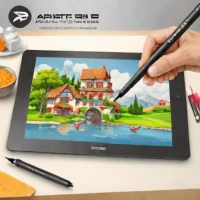
Does the Wacom Intuos Pro have a screen?
No, the Wacom Intuos Pro is a non-display pen tablet, meaning you draw on the black surface while looking up at your computer monitor. Wacom's screen-based tablets are categorized under the Cintiq line.
What pen is included with the Wacom Intuos Pro?
The tablet comes included with the Wacom Pro Pen 2, which boasts 8,192 pressure levels and tilt recognition. It is battery-free and does not require charging, utilizing Wacom's patented EMR technology.
Does the Wacom Intuos Pro support wireless Bluetooth connection?
Yes, the Wacom Intuos Pro features built-in Bluetooth connectivity for a completely wireless setup. It can also be connected directly to your computer using the included USB-C cable.
explore Explore More

Reviews & Comments
Write a Review
Be the first to review
Share your thoughts with the community and help others make better decisions.


