
description Acer SB220Q bi Overview
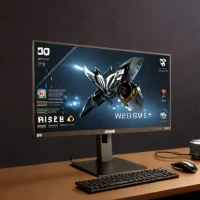
The Acer SB220Q bi is a slim and affordable 1080p monitor ideal for basic productivity tasks. Its IPS panel provides decent color accuracy and wide viewing angles. The monitor features Acer's Eye-Protect technology, reducing blue light emissions to minimize eye strain. A simple and cost-effective option for everyday use.
help Acer SB220Q bi FAQ
Does the Acer SB220Q bi have built-in speakers?
No, the SB220Q bi has no internal speakers, so audio has to come from your computer's speakers or headphones. It's a 21.5-inch 1080p IPS monitor that keeps the price low by omitting extras like speakers and a height-adjustable stand.
What ports does the Acer SB220Q bi have, and can I hook up a console to it?
It has one HDMI input and one VGA input, so modern consoles like a PS5 or Xbox can connect over HDMI. Note that it tops out at 1080p with a 75Hz refresh rate, which is fine for casual gaming but not high-framerate play.
Can I put the Acer SB220Q bi on a VESA monitor arm?
No, the SB220Q bi does not have standard VESA mounting holes, and its stand only tilts. If you need an arm or wall mount, you will have to pick a different monitor model.
Is the SB220Q bi good enough for photo editing or design work?
Its IPS panel offers wide viewing angles and decent color, but it is not factory color-calibrated like professional displays. For everyday productivity at roughly $90-100 it is a solid budget pick, though color-critical work really calls for a higher-end screen.
explore Explore More


Reviews & Comments
Write a Review
Be the first to review
Share your thoughts with the community and help others make better decisions.


