
description Apple iPad Pro (M-series) Overview
While not a traditional laptop, the iPad Pro remains an unmatched creative powerhouse when paired with the Apple Pencil and Magic Keyboard. Its incredible display, combined with the raw power of the M-series chip, makes it a primary tool for digital artists, illustrators, and note-takers who value touch interaction above all else. It excels in portability and direct creative input.
help Apple iPad Pro (M-series) FAQ
Which creative apps make the M-series iPad Pro useful for artists?
Apps like Procreate, Clip Studio Paint, Adobe Fresco, and Affinity Designer take advantage of Apple Pencil input and the iPad Pro display. The M-series chip helps with large canvases, many layers, and high-resolution exports.
Can an M-series iPad Pro replace a MacBook for professional work?
It can replace a laptop for some workflows, especially illustration, note-taking, PDF markup, and light video editing. It is still limited by iPadOS compared with macOS for file management, developer tools, and some desktop-only apps.
Why do people pair the iPad Pro with the Magic Keyboard?
The Magic Keyboard adds a trackpad, backlit keys, and a laptop-like stand for writing and multitasking. For apps like GoodNotes, Pages, Lightroom, and Safari, it makes the iPad Pro feel much closer to a compact workstation.
Does the M-series iPad Pro work with Final Cut Pro?
Apple brought Final Cut Pro to iPad for M-series iPad models, giving editors a touch-first version of the app. It is not identical to Final Cut Pro on Mac, so professionals should check plugin, storage, and export needs before switching.
explore Explore More
Similar to Apple iPad Pro (M-series)
compare_arrows Compare: Apple iPad Pro 11-inch (M3) See all arrow_forward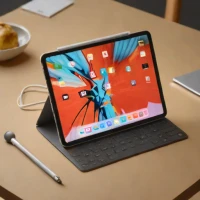


Reviews & Comments
Write a Review
Be the first to review
Share your thoughts with the community and help others make better decisions.


