
description Apple Magic Keyboard (for iPad) Overview
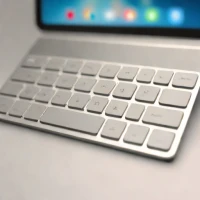
When the iPad Pro is used as a laptop replacement, the Magic Keyboard is the key component. It offers a fantastic typing experience with a precise, responsive trackpad and an integrated kickstand. It elevates the iPad from a media consumption device to a genuine, portable workstation capable of handling complex document creation and light productivity tasks with ease.
help Apple Magic Keyboard (for iPad) FAQ
Which iPads work with Apple's Magic Keyboard for iPad?
Compatibility depends on size and generation, but the original Magic Keyboard line was made for iPad Pro models from 2018 onward and later iPad Air models. The 2024 M4 iPad Pro uses a redesigned Magic Keyboard, so buyers need to match the exact 11-inch or 13-inch model.
Does the Magic Keyboard need charging?
No. It connects through Apple's Smart Connector and draws power from the iPad, while the hinge includes a USB-C pass-through charging port for the tablet.
Why does the trackpad matter on the iPad Magic Keyboard?
Apple added iPad trackpad support with iPadOS 13.4, and the Magic Keyboard was built around that change. It makes text editing, spreadsheet work, and browser use feel much closer to a laptop than a touch-only iPad setup.
How is it different from the Logitech Combo Touch?
The Magic Keyboard uses a floating cantilever design and has a very integrated Apple feel, while Logitech Combo Touch uses a kickstand and detachable keyboard. The Logitech option usually gives more viewing angles, but the Apple keyboard is cleaner for lap typing.
explore Explore More
Similar to Apple Magic Keyboard (for iPad)
compare_arrows Compare: Logitech Slim Folio Pro See all arrow_forward


Reviews & Comments
Write a Review
Be the first to review
Share your thoughts with the community and help others make better decisions.


