
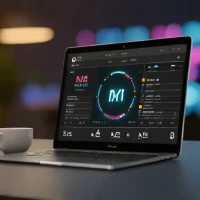
description ASUS Zenbook Pro 16 OLED Overview
This Zenbook model is highly recommended for photographers and graphic designers who prioritize color accuracy and stunning visuals in a relatively portable package. Featuring large OLED panels, these laptops deliver perfect blacks and vibrant color reproduction right out of the box. They offer a great blend of portability and creative muscle without the bulk of a dedicated workstation.
help ASUS Zenbook Pro 16 OLED FAQ
Why do creators compare the ASUS Zenbook Pro 16 OLED to the Dell XPS 16?
Both target premium 16-inch creator laptop buyers who want a high-end display and discrete graphics. The Zenbook Pro 16 OLED line often leans into creator controls like ASUS DialPad and OLED color coverage, while the XPS line emphasizes Dell's minimalist chassis design.
Is the OLED panel on the Zenbook Pro 16 good for photo editing?
Zenbook Pro OLED models are commonly sold with wide-gamut OLED panels that target DCI-P3 color and deep blacks. For paid photo work, you should still calibrate the display with a tool from X-Rite or Datacolor instead of trusting factory settings forever.
Can the Zenbook Pro 16 OLED handle Premiere Pro or DaVinci Resolve?
Configurations with NVIDIA RTX laptop GPUs are meant for Adobe Premiere Pro, After Effects, and DaVinci Resolve workflows. The exact experience depends heavily on whether the unit has an RTX 4060, RTX 4070, or higher GPU and how ASUS tuned the cooling.
What is ASUS DialPad used for on the Zenbook Pro 16 OLED?
ASUS DialPad is a touch-based control built into the trackpad area on some creator models. It can be mapped to timeline scrubbing, brush size, volume, zoom, and other shortcuts in apps like Adobe Photoshop and Premiere Pro.
explore Explore More
Similar to ASUS Zenbook Pro 16 OLED
compare_arrows Compare: Dell XPS 16 (i9-13900H) See all arrow_forward


Reviews & Comments
Write a Review
Be the first to review
Share your thoughts with the community and help others make better decisions.


