
description BenQ PD2506Q Overview
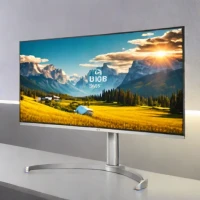
The BenQ PD2506Q is a 27-inch professional monitor designed for creative work such as photo editing, graphic design, and video production. It has a native resolution of 2560 by 1440 pixels and supports color-oriented workflows including 99 percent Adobe RGB coverage, with factory color calibration intended to reduce setup work. Its USB-C connectivity also supports use with compatible modern laptops and workstations.
help BenQ PD2506Q FAQ
Is the BenQ PD2506Q actually a 27-inch monitor?
No. BenQ's specification page lists the PD2506Q as a 25-inch IPS monitor, so a 27-inch catalog label appears to be a data error. Its native resolution is 2560x1440 at 60 Hz. [BenQ](https://www.benq.com/zh-tw/monitor/creative-pro/pd2506q/spec.html)
What color gamut does the BenQ PD2506Q cover for photo editing?
BenQ lists 100% sRGB, 100% Rec.709, and 95% P3 for the PD2506Q. I would not describe it as a 99% Adobe RGB monitor unless the seller can provide a separate, model-specific measurement. [BenQ](https://www.benq.com/zh-tw/monitor/creative-pro/pd2506q/spec.html)
Can I connect a laptop to the BenQ PD2506Q with USB-C?
Yes, its USB-C port supports DisplayPort Alt Mode, data, and up to 65 W Power Delivery. It also includes HDMI 2.0, DisplayPort 1.4, and a USB hub for a laptop-based editing desk. [BenQ](https://www.benq.com/zh-tw/monitor/creative-pro/pd2506q/spec.html)
Does the BenQ PD2506Q support portrait use and hardware calibration?
The stand supports a 90-degree pivot, 110 mm of height adjustment, and VESA 100x100 mounting. BenQ also lists a factory calibration report, Calman Verified status, and Palette Master Ultimate support. [BenQ](https://www.benq.com/zh-tw/monitor/creative-pro/pd2506q/spec.html)
explore Explore More



Reviews & Comments
Write a Review
Be the first to review
Share your thoughts with the community and help others make better decisions.


