
description Dell U2520D Overview
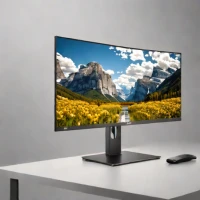
With a 25-inch IPS panel and QHD resolution of 2560 x 1440, the Dell U2520D combines a relatively compact desktop footprint with room for detailed editing work. Its factory calibration specifies average Delta E below 2, a measure of color error, and 99% sRGB coverage. These characteristics make it relevant for photography and graphic design where consistent color matters. Dell's user guide documents the display specifications.
USB-C carries video and data while providing power to a compatible notebook, allowing the monitor to serve as part of a simpler desk connection arrangement. The supplied stand supports height adjustment and rotation as well as tilt and swivel. It suits photographers and designers who want an adjustable, calibrated display without moving to a much larger screen. Factory calibration provides a starting point rather than a permanent guarantee of accuracy under every setting.
help Dell U2520D FAQ
Why do photographers look at the Dell U2520D instead of a cheaper 24-inch 1080p monitor?
The U2520D is a 25-inch QHD monitor, so it gives 2560 x 1440 resolution instead of 1920 x 1080. That extra desktop space helps when using Lightroom panels, Photoshop tools, and a full-size image preview.
Is the Dell U2520D color-focused enough for web photo work?
Yes, it is commonly chosen for sRGB-focused editing because Dell positioned it as an UltraSharp productivity and creator display. It is a better fit for web and general photo work than for high-end HDR mastering.
Can the Dell U2520D charge a laptop over USB-C?
Yes, USB-C is one of the main reasons people buy the U2520D. It can carry display, USB data, and laptop charging through one cable on compatible laptops.
What is the practical downside of using a 25-inch QHD screen like the U2520D?
The pixel density is sharper than 27-inch QHD, so text and UI can feel small if Windows or macOS scaling is left at 100%. Many users run scaling or larger app UI settings for long editing sessions.
explore Explore More


Reviews & Comments
Write a Review
Be the first to review
Share your thoughts with the community and help others make better decisions.


