
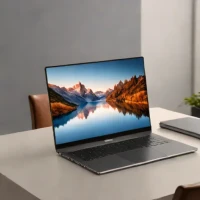
description Dell XPS 16 (High-Refresh OLED) Overview
This niche configuration combines the visual perfection of an OLED screen with a higher refresh rate panel, making scrolling, UI transitions, and light gaming feel incredibly smooth. It's a sweet spot for users who want the visual pop of OLED but also appreciate the fluidity of a higher refresh rate display, bridging the gap between media and light gaming.
help Dell XPS 16 (High-Refresh OLED) FAQ
What refresh rate does the Dell XPS 16 OLED display use?
The high-resolution OLED option on the XPS 16 9640 supports a 90 Hz refresh rate. That is smoother than a standard 60 Hz laptop panel for scrolling and animation, although gaming laptops commonly offer 120 Hz or more.
Does the XPS 16 OLED have a touchscreen?
Yes, the OLED configuration is offered as a touch display. It has a 16.3-inch panel with a 3840 by 2400 resolution on the XPS 16 9640.
How much does the OLED screen affect XPS 16 battery life?
The 4K-class OLED panel generally consumes more power than the lower-resolution non-OLED option, especially when displaying bright content. Actual runtime also changes with the GPU, brightness, workload, and whether Windows is running the screen at 60 or 90 Hz.
Can the Dell XPS 16 OLED handle games and creative applications?
Configurations with a discrete NVIDIA GeForce RTX GPU can accelerate Adobe Premiere Pro, Blender, and many games. The 90 Hz OLED screen offers excellent contrast, but the XPS 16 is designed as a premium creator laptop rather than a dedicated high-refresh esports machine.
explore Explore More
Similar to Dell XPS 16 (High-Refresh OLED)
compare_arrows Compare: Dell XPS 16 (Best for Photog... See all arrow_forward


Reviews & Comments
Write a Review
Be the first to review
Share your thoughts with the community and help others make better decisions.


