
description G-Technology (G-Drive) 4TB Overview
G-Technology drives are historically favored by high-end video production houses. They combine the reliability of enterprise-grade components with a premium, durable aluminum chassis. While often pricier, the build quality and reputation for handling demanding, continuous read/write cycles make them a top choice for professional media workflows where failure is not an option.
help G-Technology (G-Drive) 4TB FAQ
Why do video editors specifically prefer G-Technology G-Drive external hard drives?
G-Drives are historically favored by high-end video production houses because they use reliable, enterprise-grade 7200 RPM hard drives rather than cheaper consumer-grade storage. The durable aluminum chassis also acts as a massive heat sink, ensuring the drive won't overheat during long, continuous 4K video editing sessions.
Does the G-Technology 4TB G-Drive require external power to run?
Yes, because it houses a full-sized 3.5-inch desktop hard drive rather than a small 2.5-inch laptop drive, it requires a dedicated AC power adapter to operate. It cannot be powered solely by the USB or Thunderbolt port of a laptop, meaning it is not intended to be a truly portable, pocket-sized drive.
What file system is the 4TB G-Drive formatted in out of the box?
Historically, G-Technology ships these premium drives pre-formatted in HFS+ (Mac OS Extended) so they are plug-and-play ready for Apple Mac users right out of the box. To use the drive seamlessly with a Windows PC, you will need to reformat it to NTFS or ExFAT using your computer's disk management tools.
What is the average read and write speed of a 4TB G-Drive over USB-C?
When connected via its USB 3.1 or USB-C port, a 4TB spinning G-Drive typically delivers sustained read and write speeds of around 130 to 150 MB/s. While significantly slower than modern NVMe SSDs, this bandwidth is still sufficient for directly playing back multiple streams of high-definition ProRes video.
explore Explore More
Similar to G-Technology (G-Drive) 4TB
compare_arrows Compare: LaCie Mobile Drive 4TB See all arrow_forward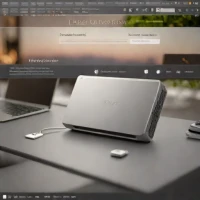


Reviews & Comments
Write a Review
Be the first to review
Share your thoughts with the community and help others make better decisions.


