
description INOGENI 4K HDMI Capture Overview
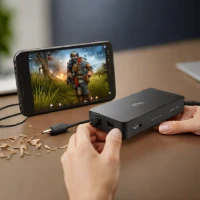
The INOGENI 4K HDMI Capture is a USB 3.0 device designed to record high-quality video from HDMI sources. It supports 4K resolution at 30 frames per second and includes integrated scaling for optimal image quality. This capture card is frequently utilized by educational institutions and corporations needing to stream presentations, training sessions, or gameplay footage. Its robust performance makes it suitable for both professional and personal use.
help INOGENI 4K HDMI Capture FAQ
Can the INOGENI 4K HDMI Capture record 4K video?
Yes. The device supports HDMI capture up to 4K at 30 frames per second and connects to a computer over USB 3.0. The source must provide a compatible HDMI signal.
Does the INOGENI capture card pass through video while recording?
The device is built for capturing HDMI sources and includes scaling features, but capture and passthrough behavior depends on the exact INOGENI model and connection layout. Verify the model's input and output ports before planning a low-latency gaming setup.
Can schools use the INOGENI 4K HDMI Capture for teaching?
Yes. INOGENI devices are commonly used in education and institutional video workflows because they connect cameras, presentation systems, and other HDMI sources to computers. USB 3.0 is important for moving high-resolution video reliably.
Can it capture protected HDMI video from Netflix or Blu-ray?
Normally no. HDCP copy protection can prevent a capture device from receiving a usable signal, and the INOGENI should be used with sources you are authorized to record.
explore Explore More
Similar to INOGENI 4K HDMI Capture
compare_arrows Compare: ClonerAlliance Flint 4KP See all arrow_forward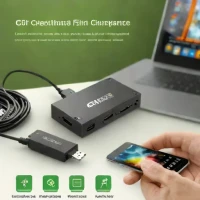


Reviews & Comments
Write a Review
Be the first to review
Share your thoughts with the community and help others make better decisions.


