
description Movavi Screen Recorder Overview
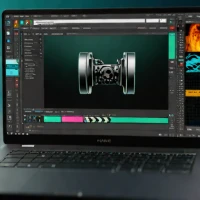
Movavi Screen Recorder is a polished, consumer-friendly application that strikes an excellent balance between advanced features and ease of use. It provides a clean, modern interface that guides users through recording selections (full screen, region, window) with options for system sound, microphone, and webcam.
Its standout features include a robust scheduling tool for recording at set times and an 'Export for' preset system that optimizes settings for platforms like YouTube, Vimeo, or mobile devices. It also includes basic but effective editing tools for trimming, joining clips, and adding titles. Historically, Movavi has built a reputation for creating affordable, accessible multimedia software for home users, and their screen recorder follows this philosophy. It's ideal for hobbyists, casual content creators, and professionals who need a reliable, straightforward recorder with more oomph than free basics but less complexity than OBS or Camtasia.
Compared to Snagit, it's more video-focused; compared to Bandicam, it's more general-purpose and user-friendly. Its one-time license model is a significant advantage.
help Movavi Screen Recorder FAQ
Is Movavi Screen Recorder compatible with Mac?
Yes, it supports both Windows and macOS.
Can I record my screen without sound?
Certainly! You can choose to exclude system sounds from your recordings.
Does this software support multiple languages?
Yes, it offers translations in several languages for a better user experience.
explore Explore More


format_list_numbered Lists featuring Movavi Screen Recorder

Reviews & Comments
Write a Review
Be the first to review
Share your thoughts with the community and help others make better decisions.


